
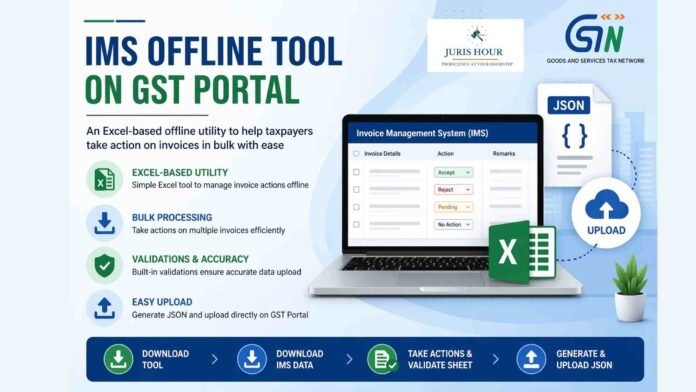
The Goods and Services Tax Network (GSTN) has issued an important advisory introducing the Invoice Management System (IMS) Offline Tool, aimed at enhancing taxpayer convenience and simplifying compliance processes. The move marks a significant step toward digitization and efficiency in invoice-level reconciliation under GST.
The IMS itself was earlier introduced on the GST portal with effect from the October 2024 tax period, allowing recipient taxpayers to take actions on invoices uploaded by suppliers through GSTR-1, GSTR-1A, or the Invoice Furnishing Facility (IFF). These actions include accepting, rejecting, or keeping invoices pending for further verification.
To further ease compliance, GSTN has now rolled out an Excel-based offline utility, enabling taxpayers to process invoices both individually and in bulk. This tool is particularly useful for businesses dealing with large volumes of invoices, allowing offline validation and structured action before uploading the final data to the GST portal.
Buy More: Ultimate Legal & Taxation Mega Combo Pack – March 2026 Edition
Step-by-Step Process to Use the IMS Offline Tool
The advisory outlines a structured workflow for using the tool:
1. Downloading the Tool
Taxpayers must visit the GST portal and navigate to Downloads → Offline Tools → IMS Offline Tool. The tool is downloaded as a ZIP file, which needs to be extracted, and macros must be enabled before use.
2. Downloading Invoice Data
Users can download invoice data from the GST portal by navigating to:
Services → Returns → Invoice Management System (IMS) Dashboard → Offline.
The data is downloaded in JSON format for offline processing.
3. Importing and Taking Actions
The downloaded JSON file is imported into the Excel utility. Once imported, invoice data gets auto-populated. Taxpayers can then perform actions such as:
- Accept
- Reject
- Keep Pending
- No Action
Remarks can also be added where necessary. After completing actions, users must click on “Validate Sheet” to ensure data accuracy.
4. Generating and Uploading JSON File
After validation, a JSON file is generated and uploaded back to the GST portal via the same IMS dashboard under the offline tab.
Key Features and Validations
The offline tool mirrors the same business rules and validations as the online IMS dashboard. Some important aspects include:
- If no changes are made after importing data, the generated JSON file will remain empty.
- The tool includes filters to sort invoices based on various parameters, which reset upon validation.
- In case of errors during upload, an error file marked “Processed with Error” is generated, allowing taxpayers to correct and re-upload data.
Additionally, the system supports incremental updates—new uploads are added to existing records, while duplicate GSTIN records get updated or replaced accordingly.
Read More: High Court Can’t Reopen Title Issue Beyond Scope of Writ: Supreme Court

