
The Goods and Service Tax Appellate Tribunal (GSTAT) has issued the user mannual in respect of e-filing portal.
Here is a step-by-step guide to file appeal in GSTAT e-filing portal:
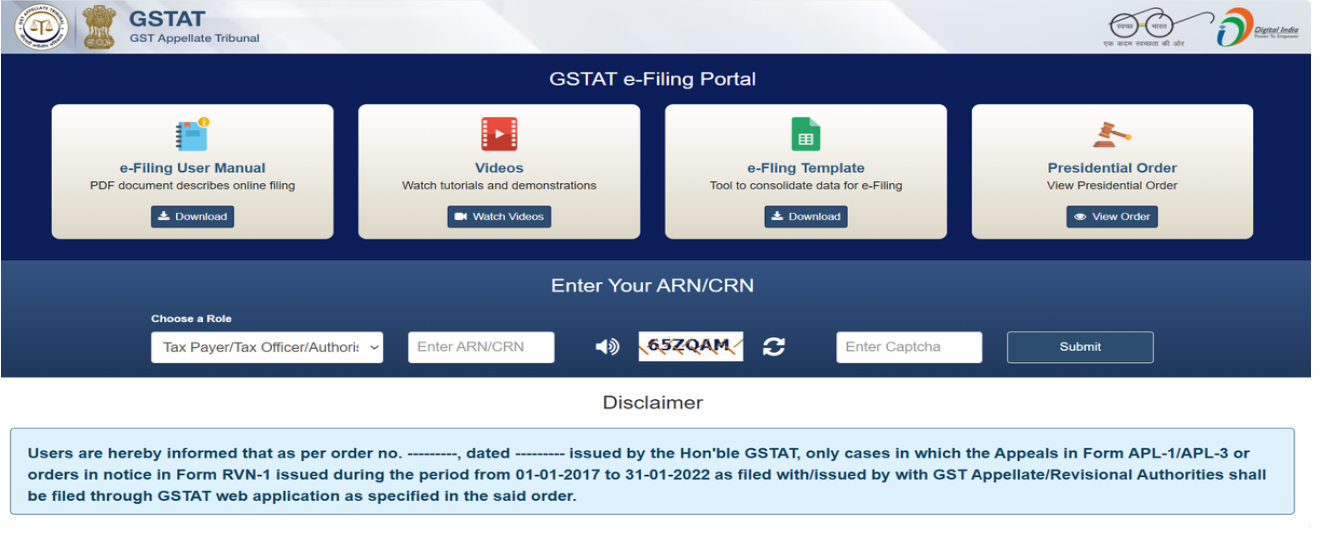
Once the user opens the E-Filing page, the user will have to choose the correct role and enter the ARN/CRN number. After entering the correct Captcha, the user shall proceed to login.
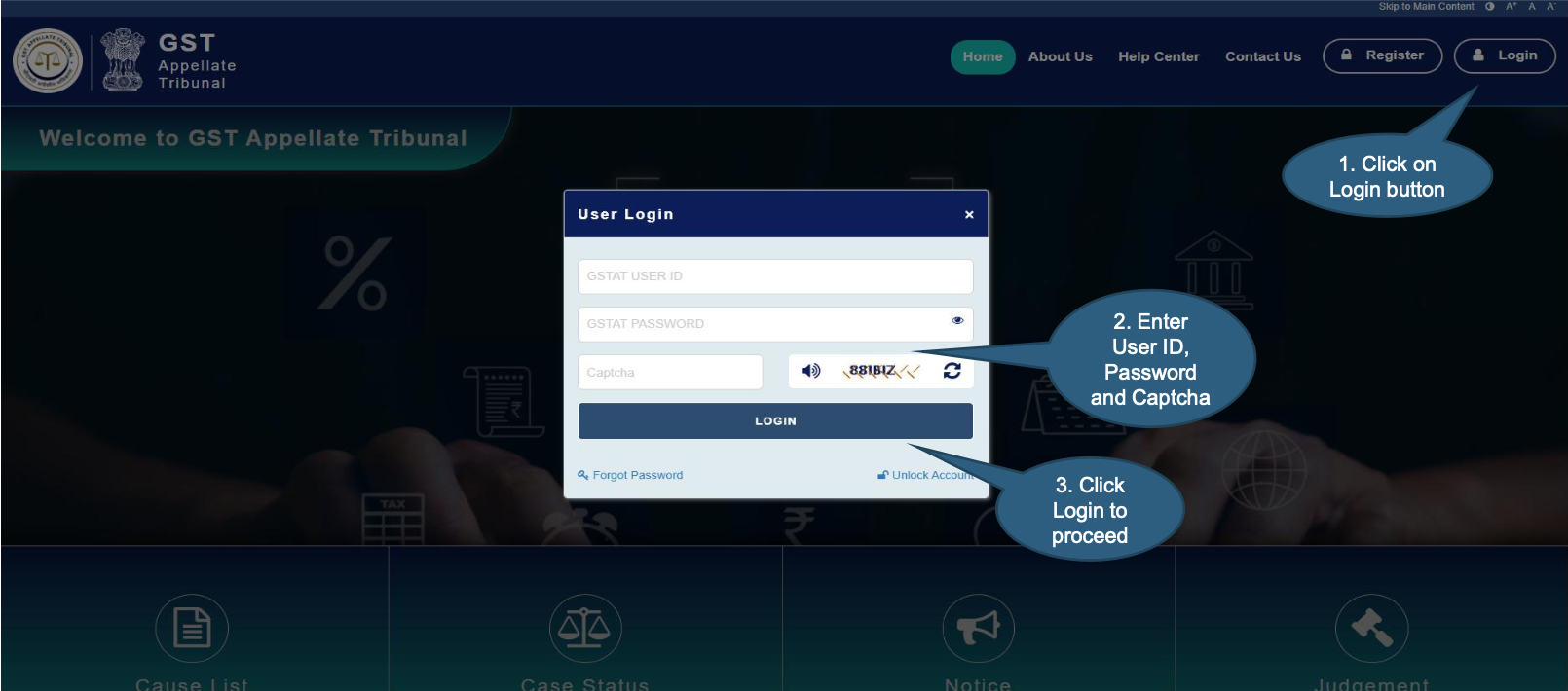
Click on the Login button to access user login window.
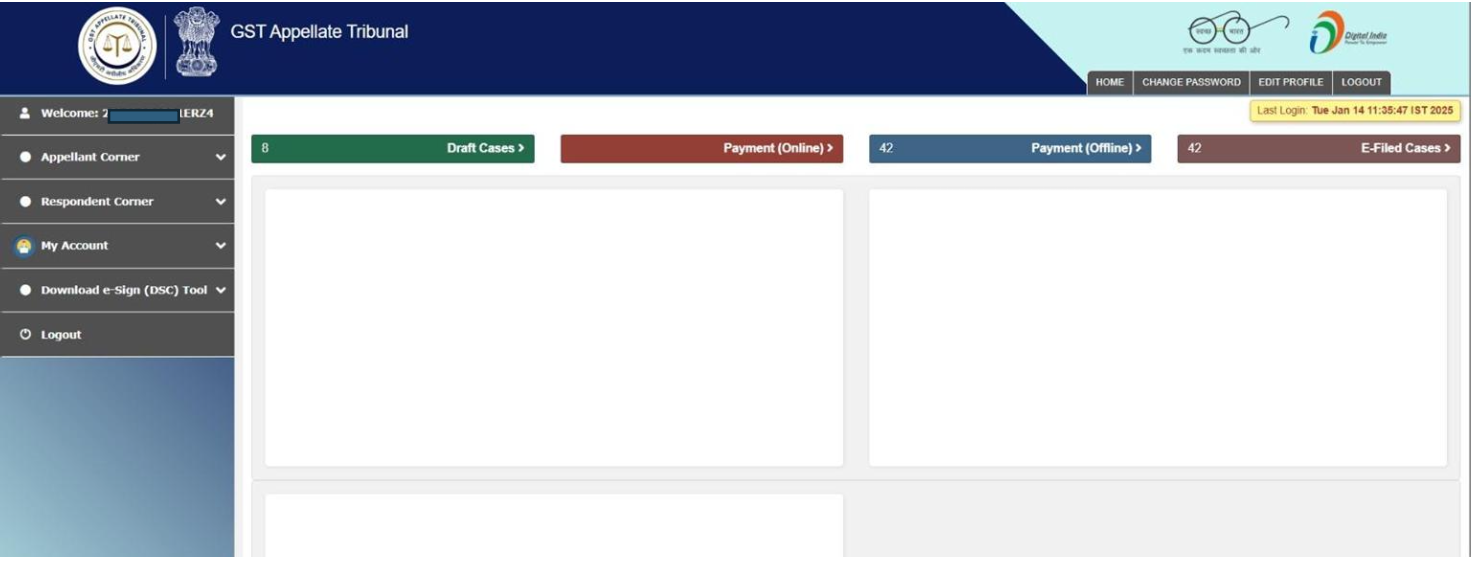
Dashboard of GSTAT portal looks like below.
Sub menu will be shown with both the options – Appeal Filing & Application Filing.
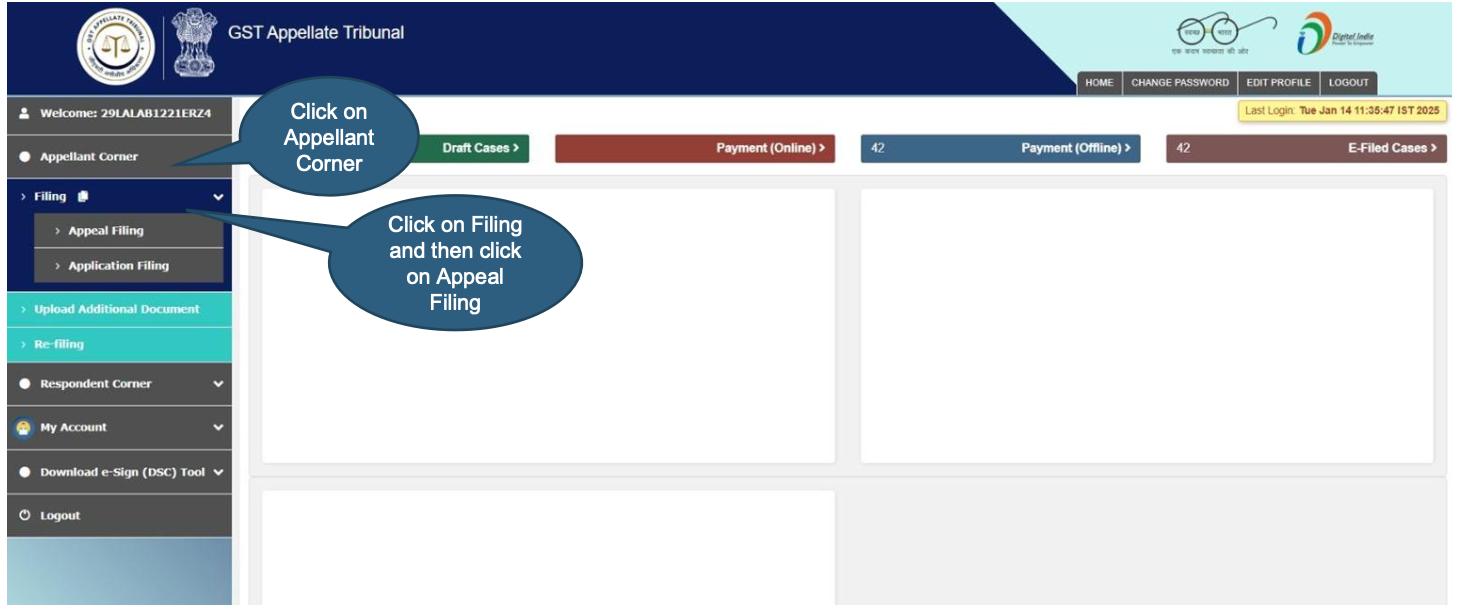
Applicant must agree with GSTAT declaration before proceeding further.
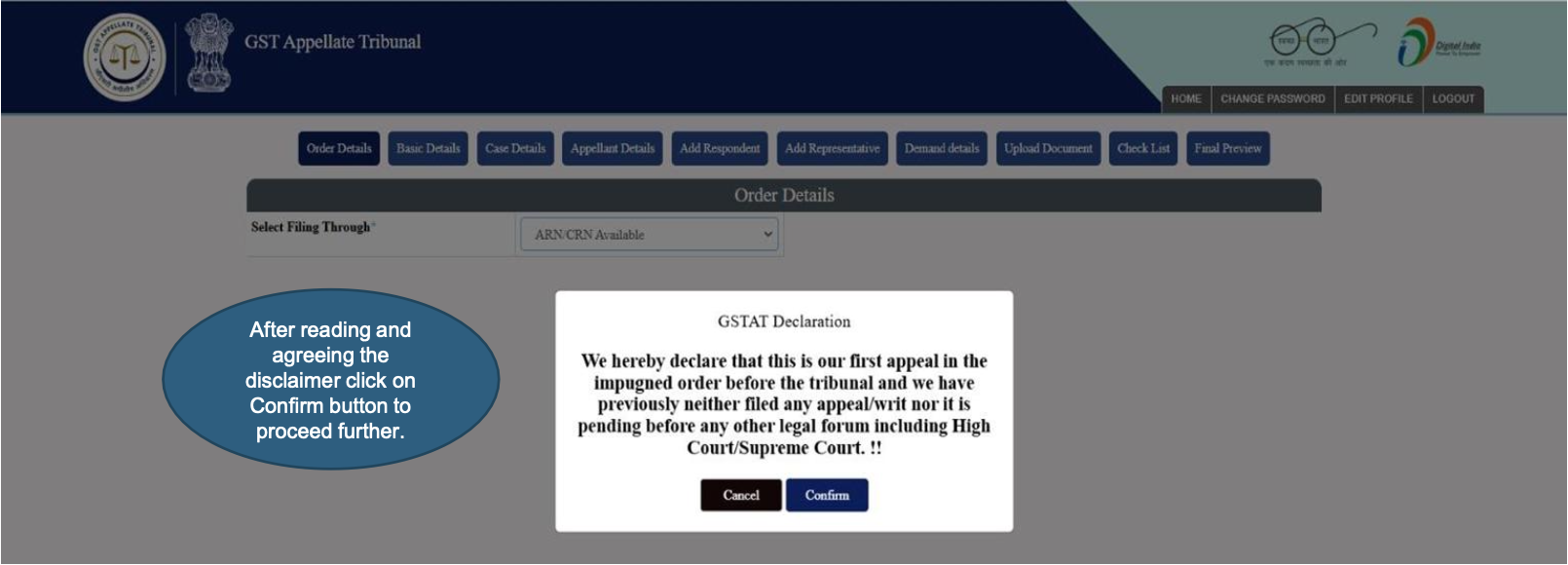
After entering ARN/CRN details, user needs to click on Submit button.
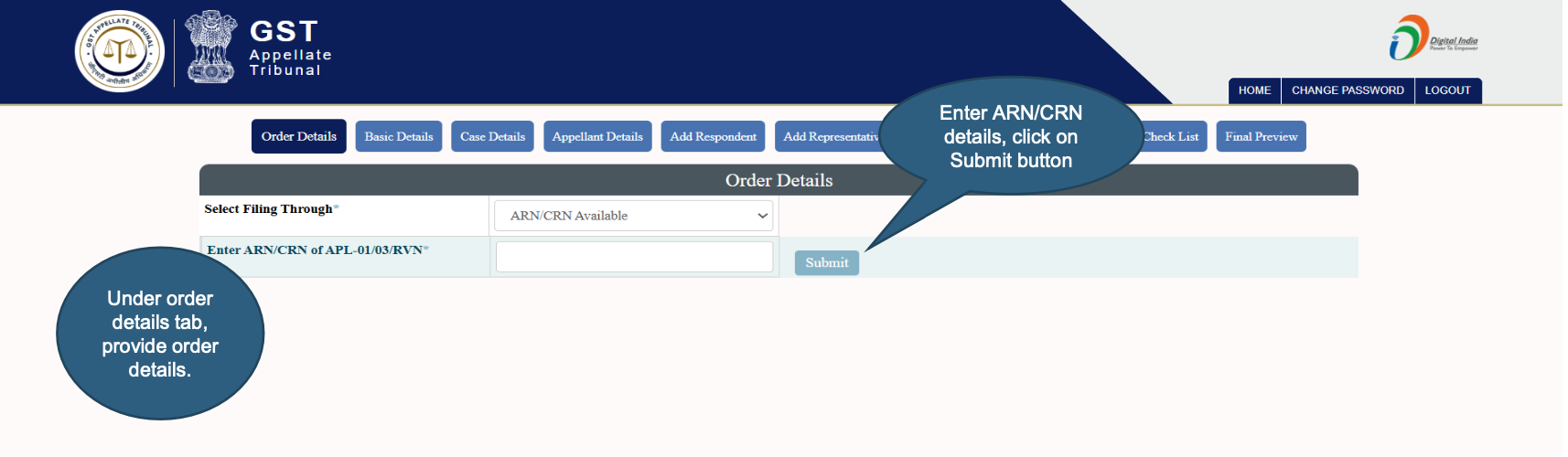
After entering ARN/CRN details, user needs to click on Submit button.
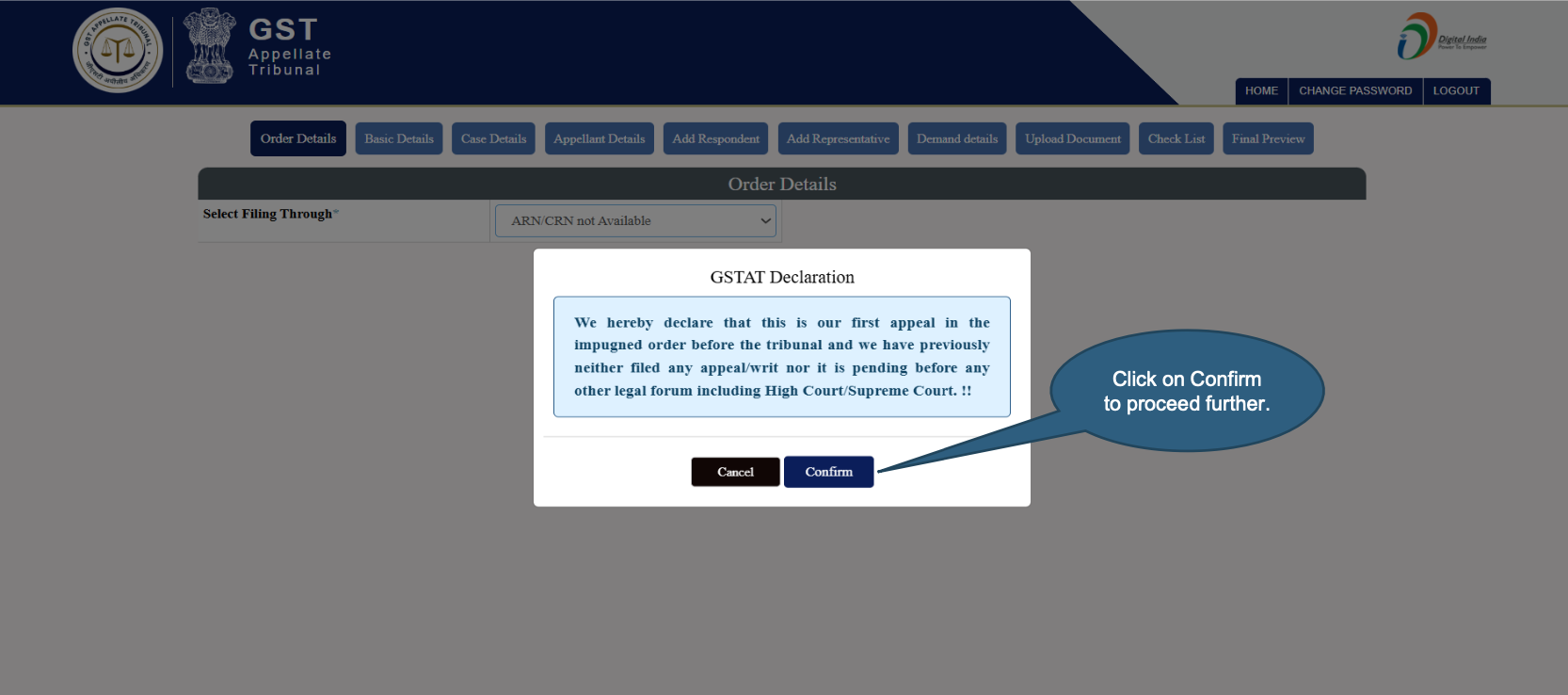
User will have to enter all the details if the user selects ARN/CRN not available. If the user selects ARN/CRN available, then the details are auto fetched and auto populated from GSTN.
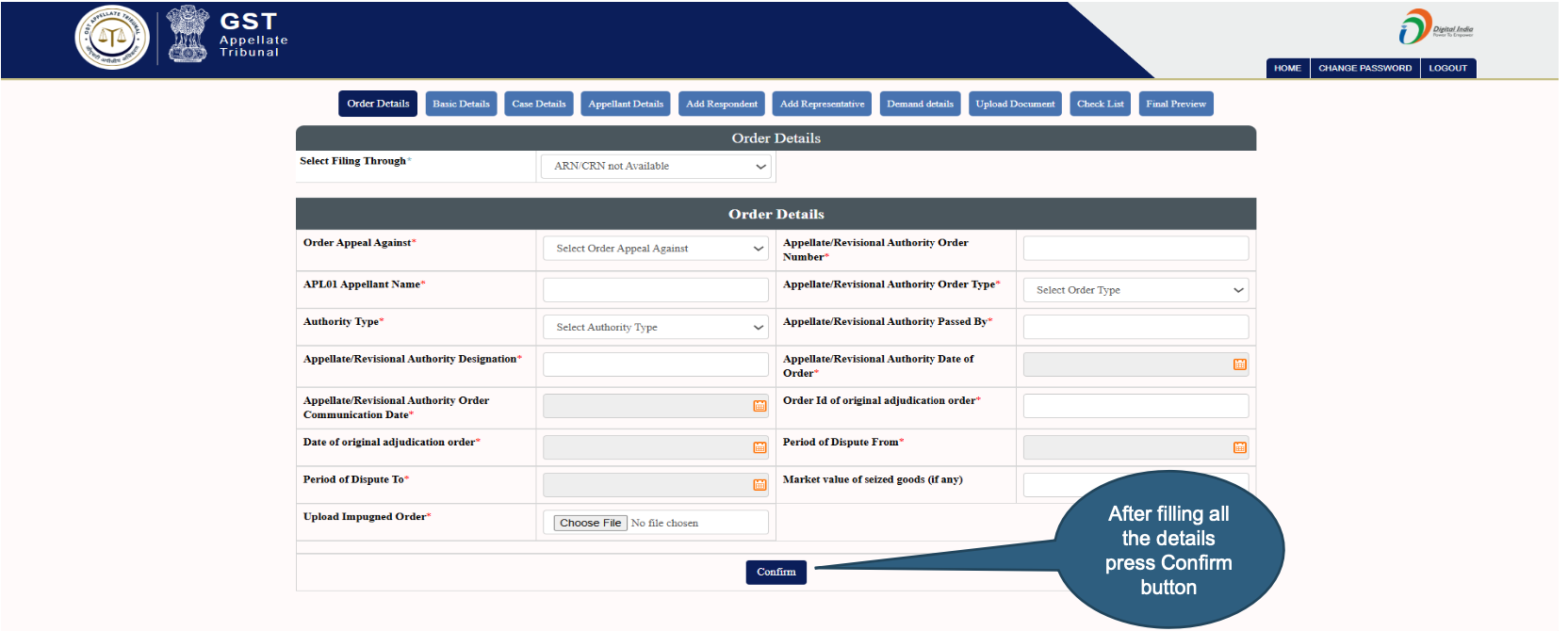
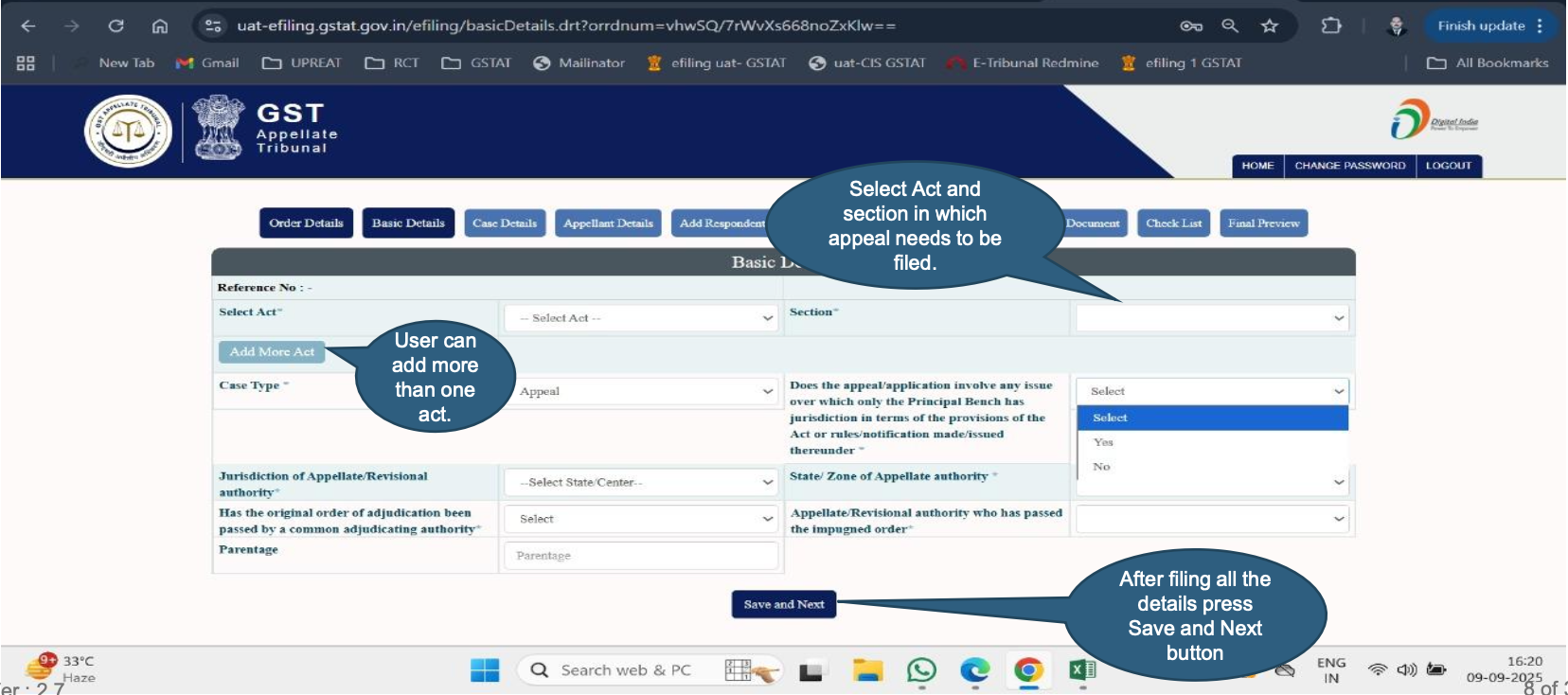
User needs to enter Basic Details on relevant tab.
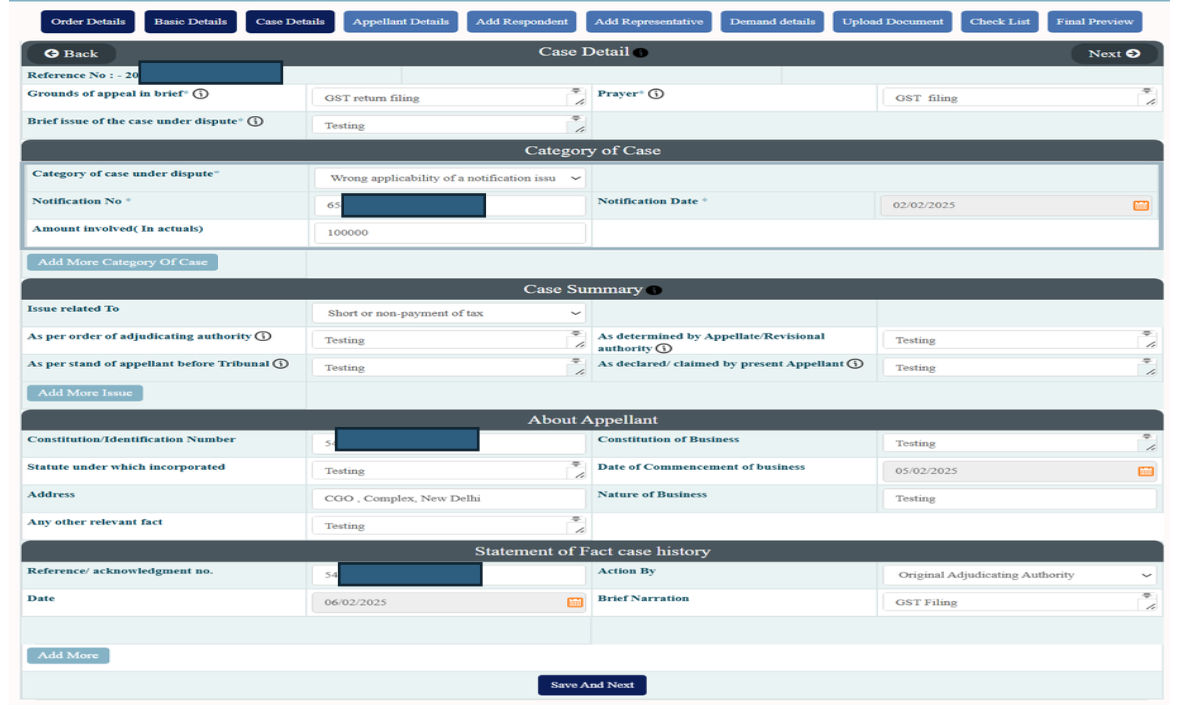
User needs to enter Case Details on this tab.
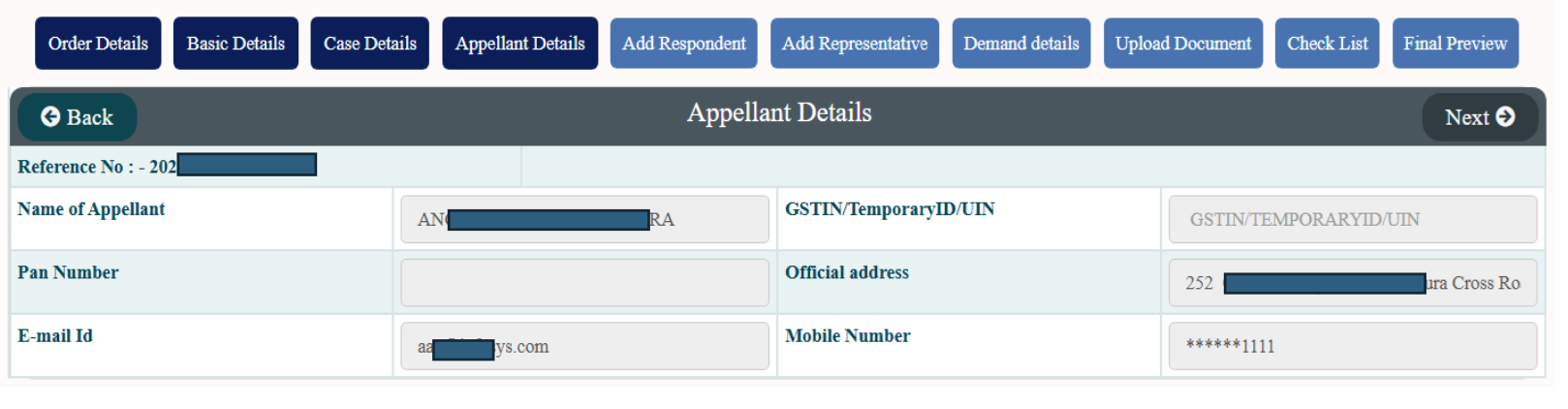
Appellant details are auto populated and shown to user.
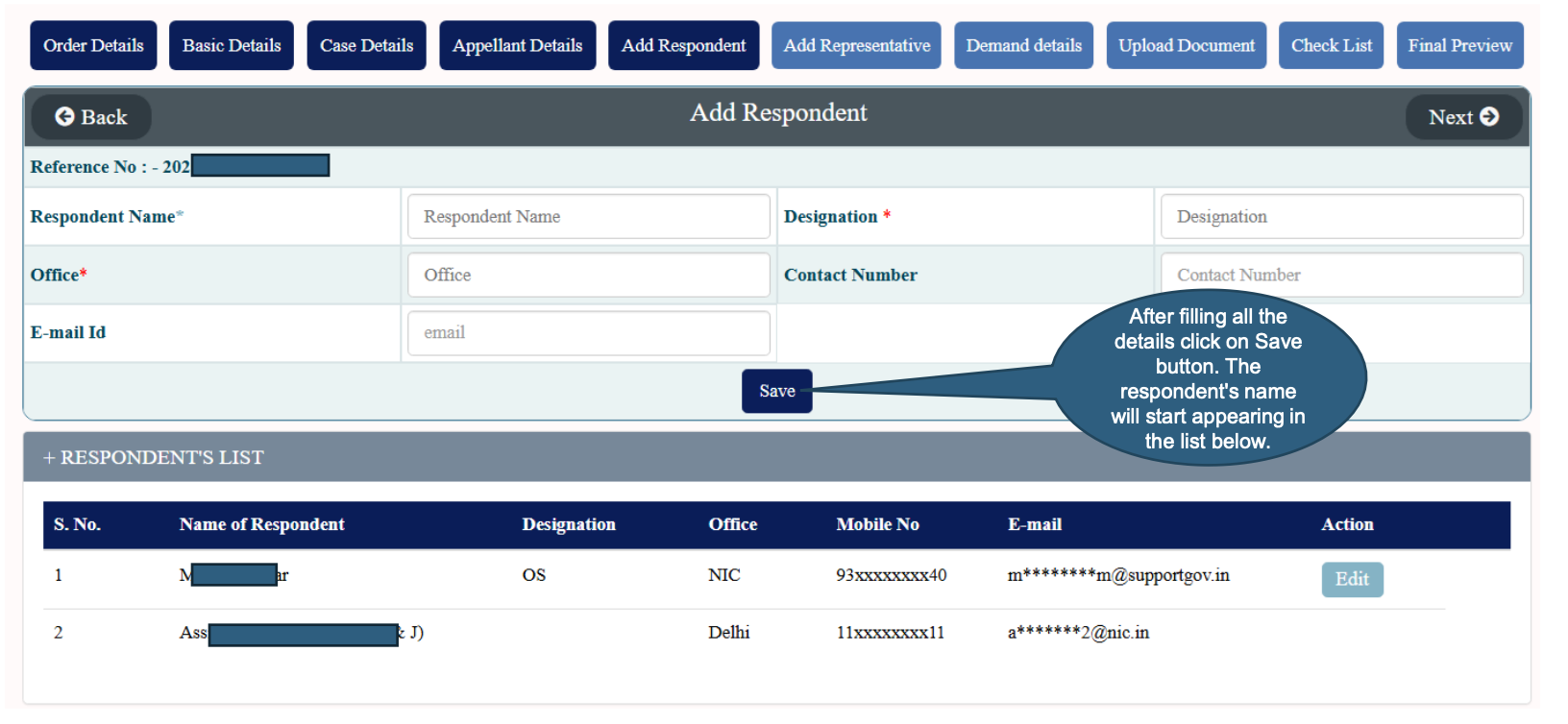
User needs to enter Respondent Details. More than one respondents can be added.
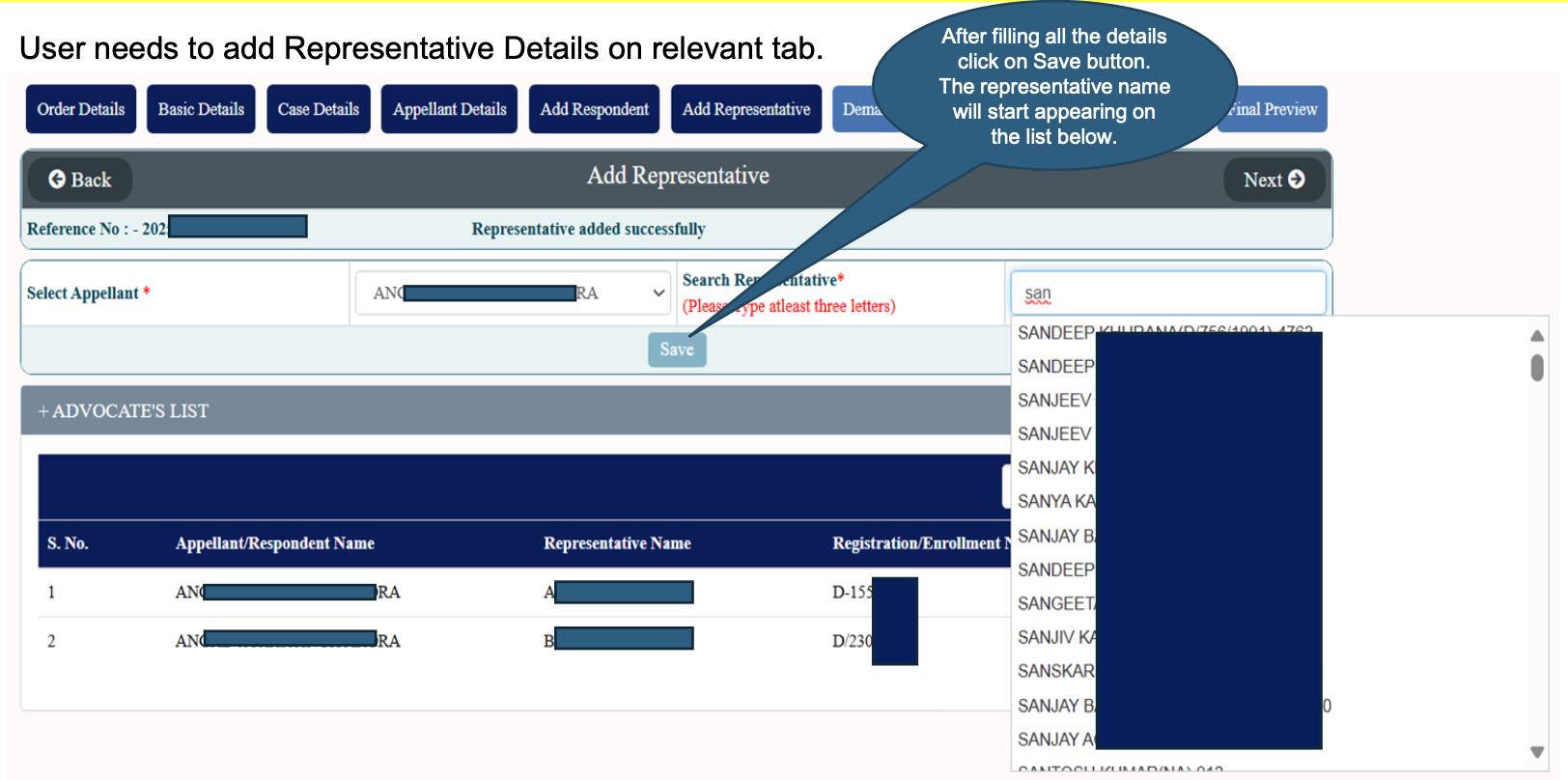
User needs to add Representative Details on relevant tab.
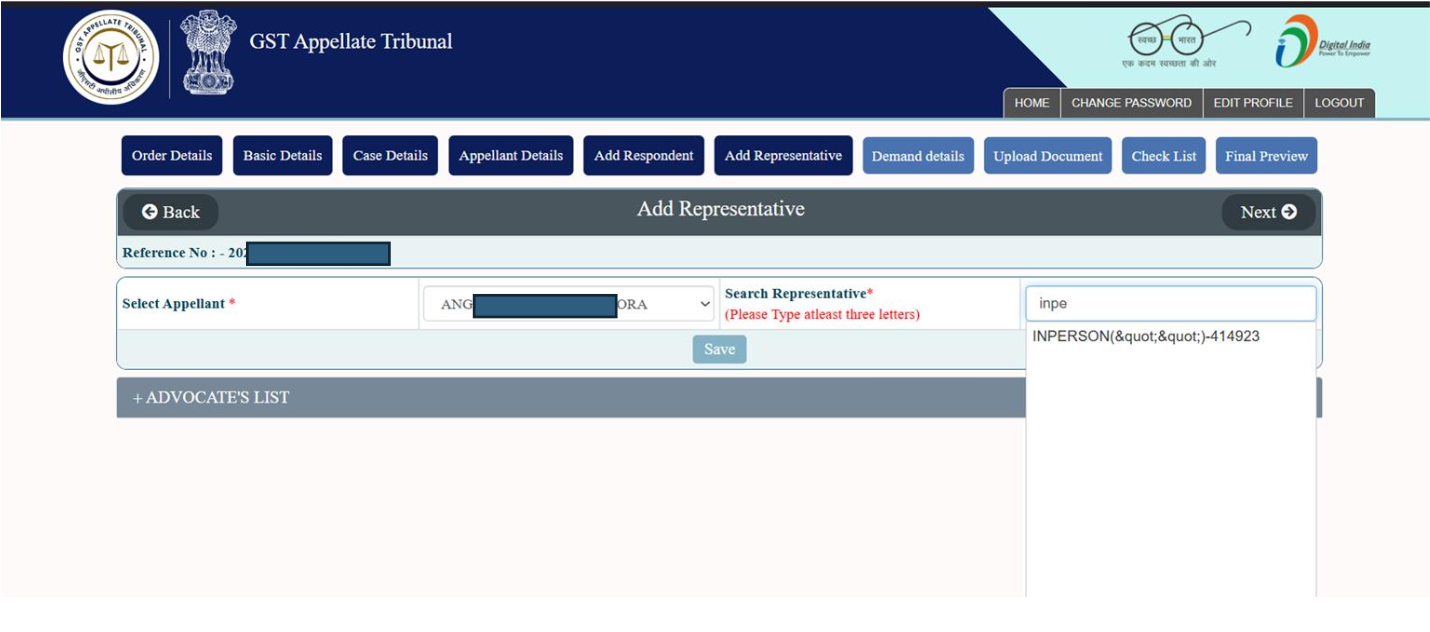
User needs to add Representative Details on relevant tab and select as IN-Person.
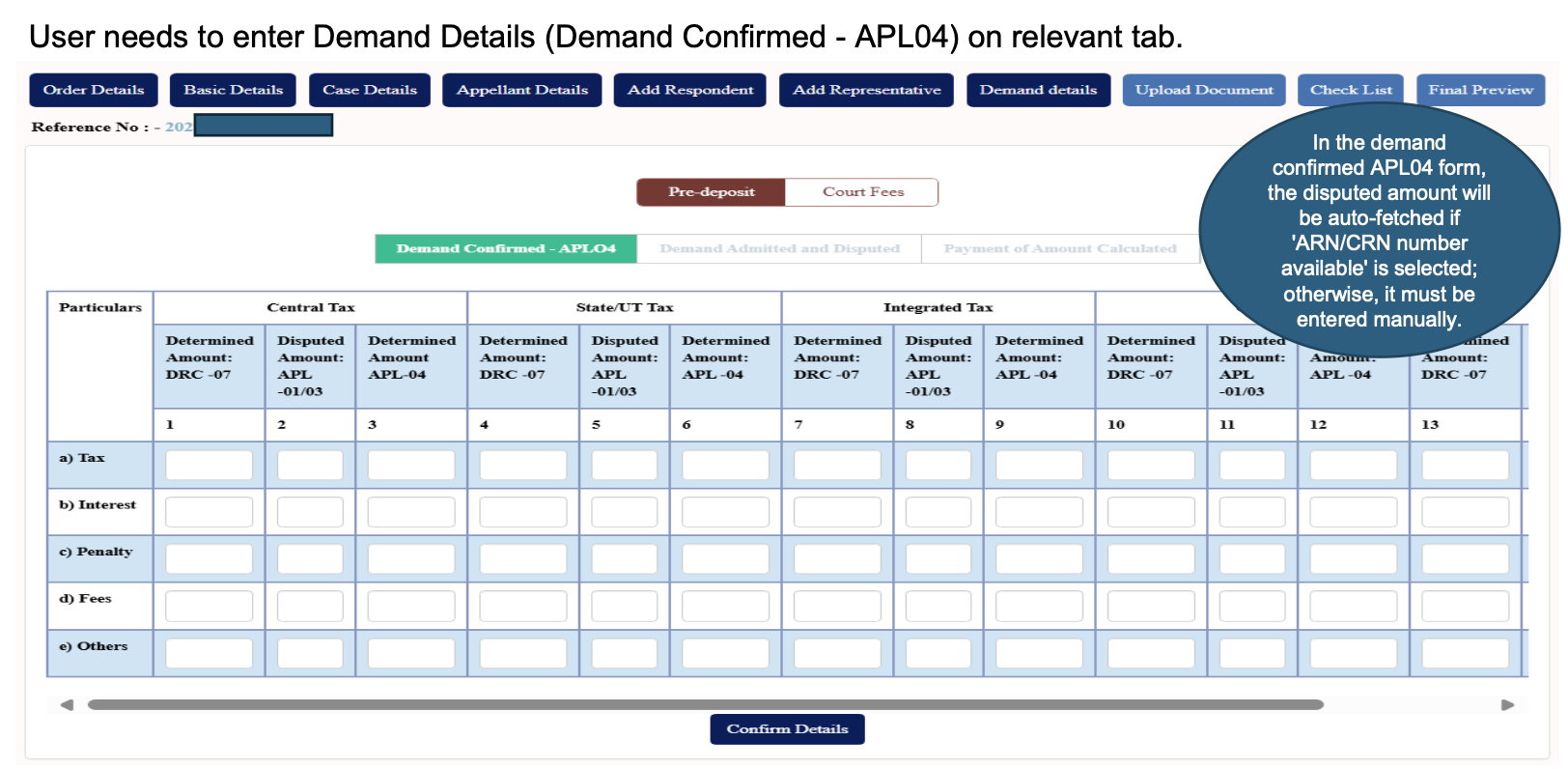
User needs to enter Demand Details (Demand Confirmed – APL04) on relevant tab.
User needs to enter Demand Details (Demand Admitted & Disposed) on relevant tab, as applicable.
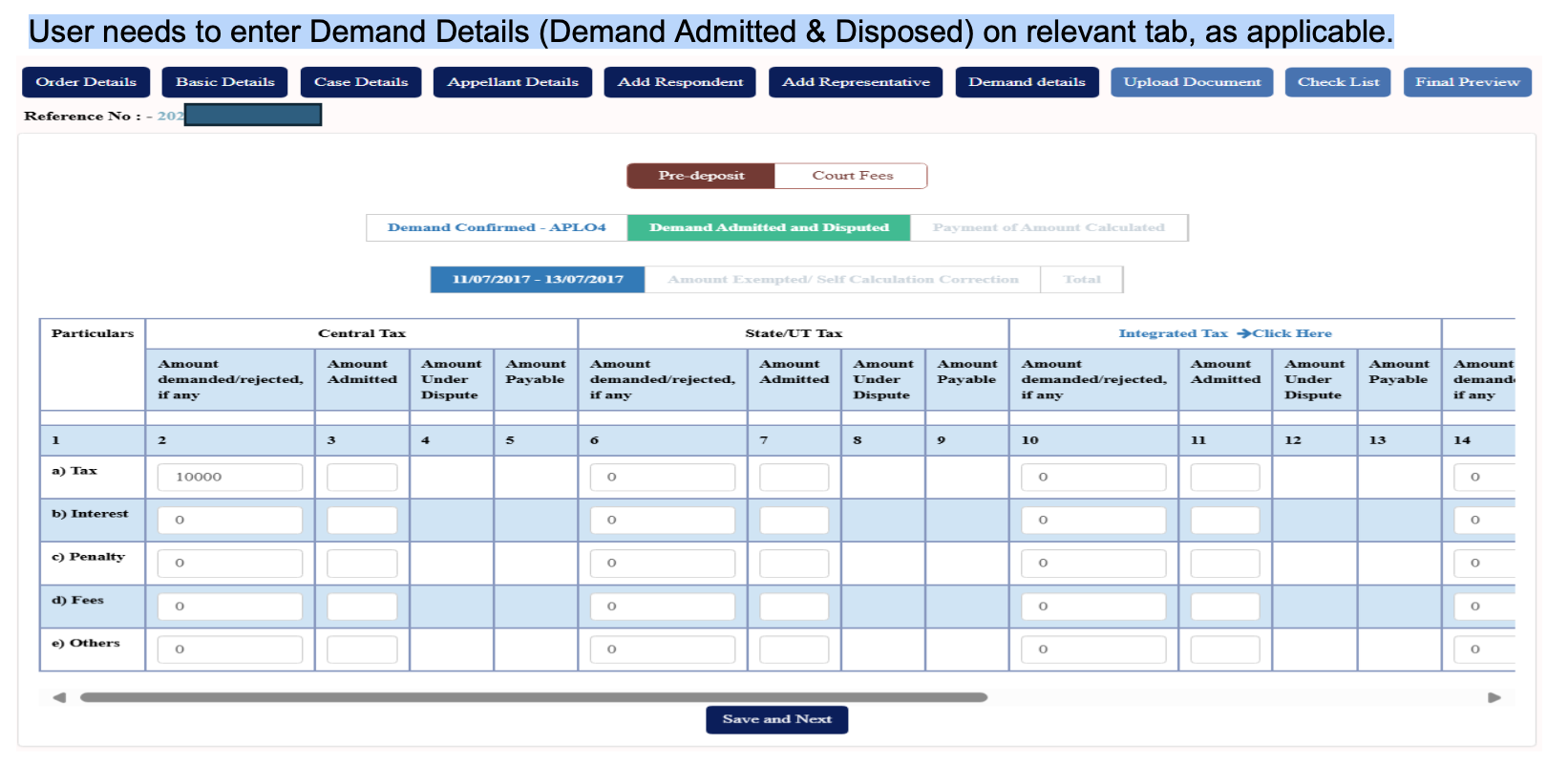
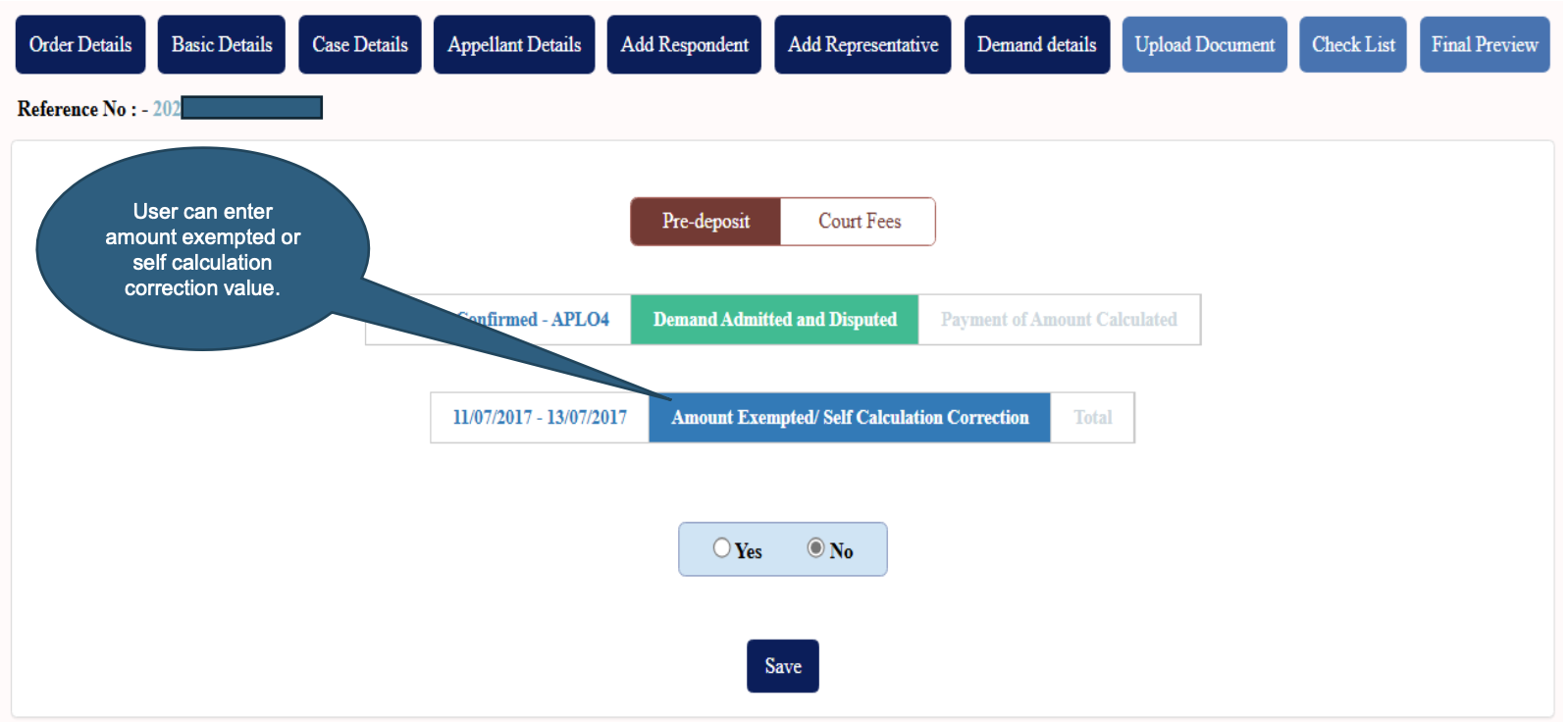
Option to allow user to claim/fill up amount exempted.
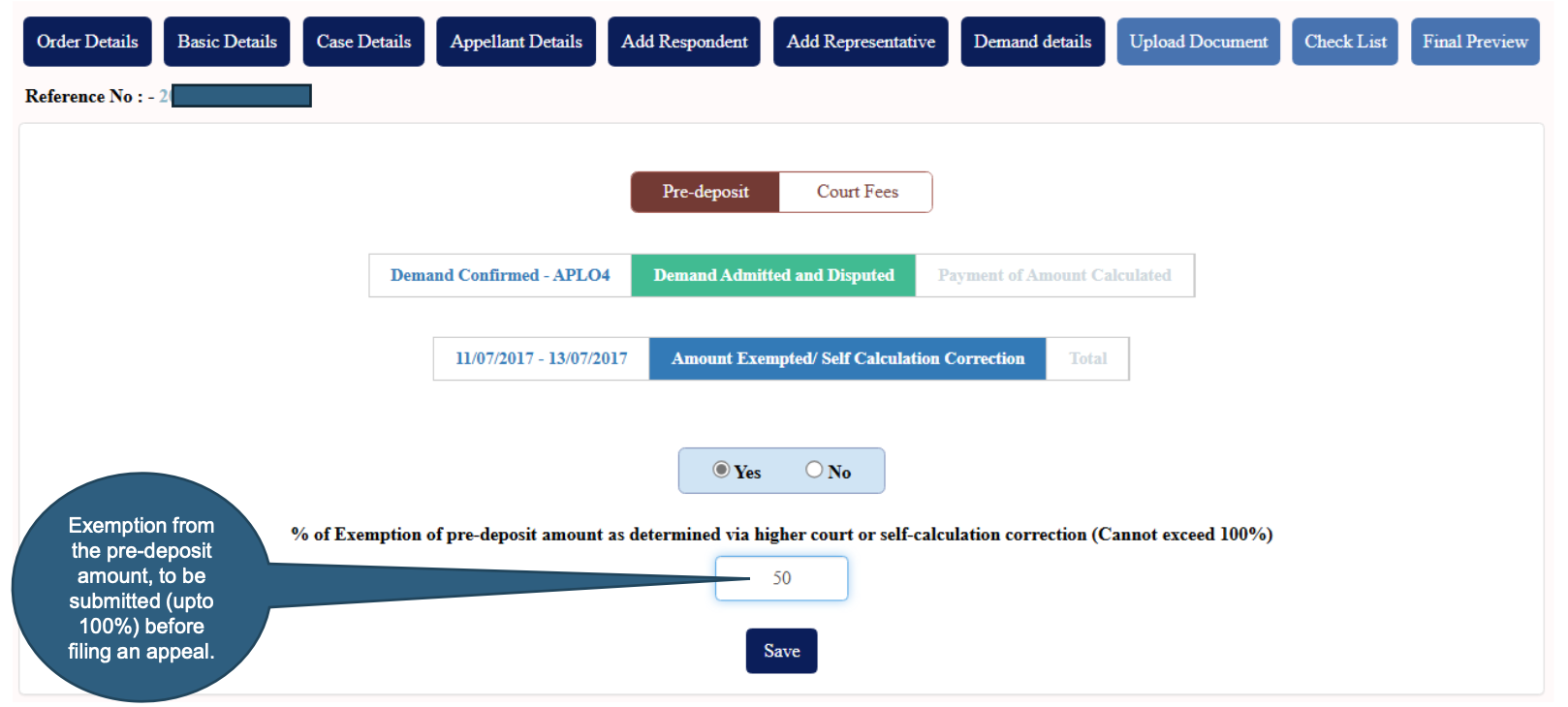
User entering percentage of exemption of pre-deposit amount.
Demand Admitted & Disposed (Continued)
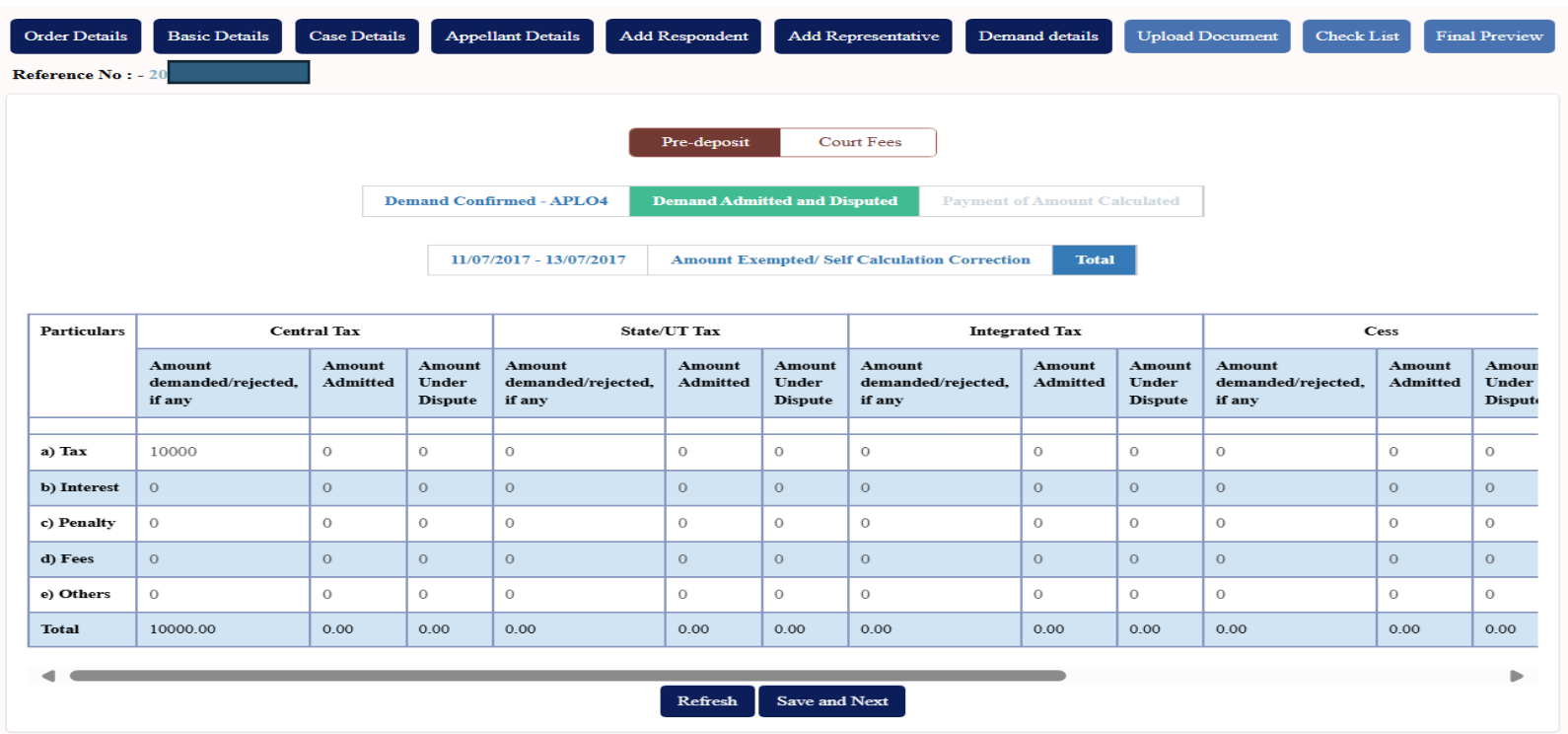
Scenario1: When user has made full payment.
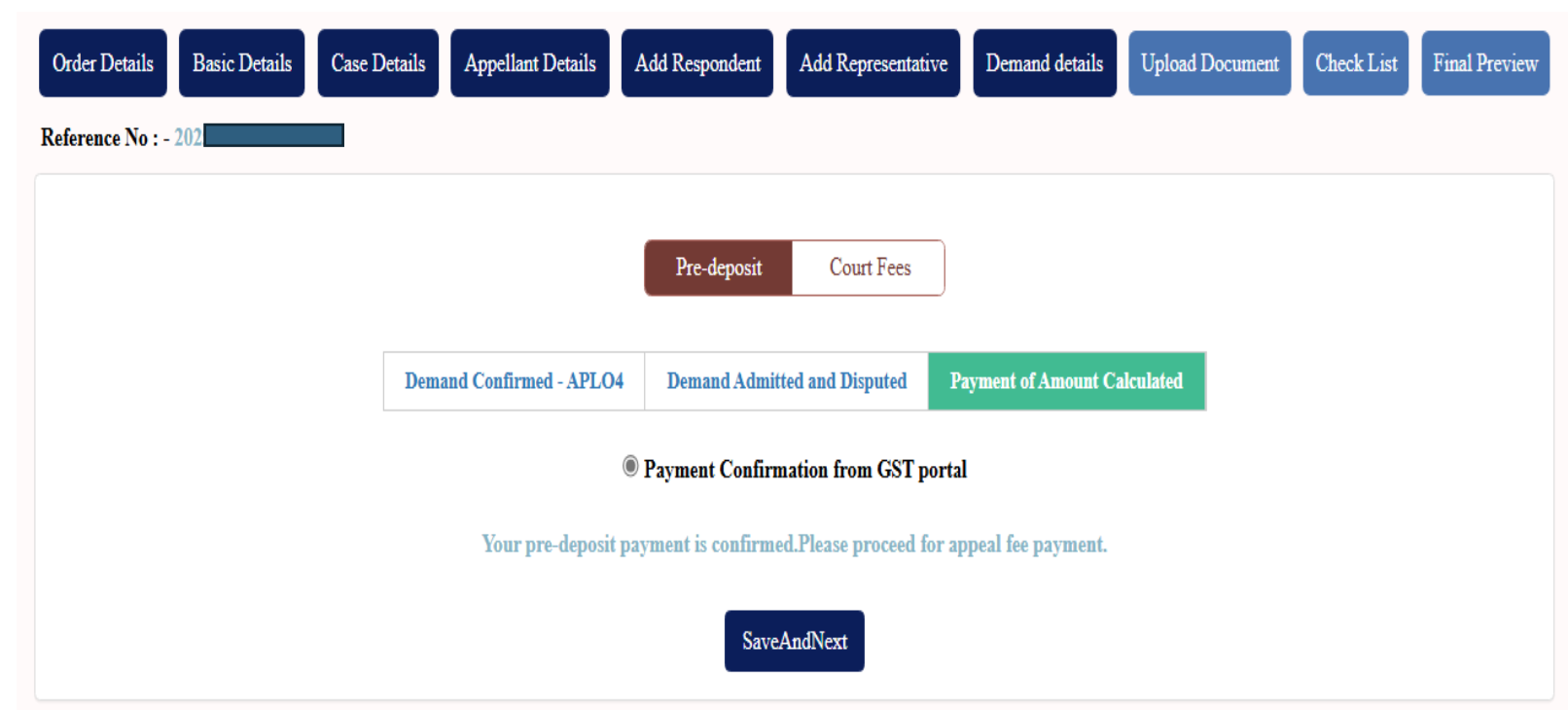
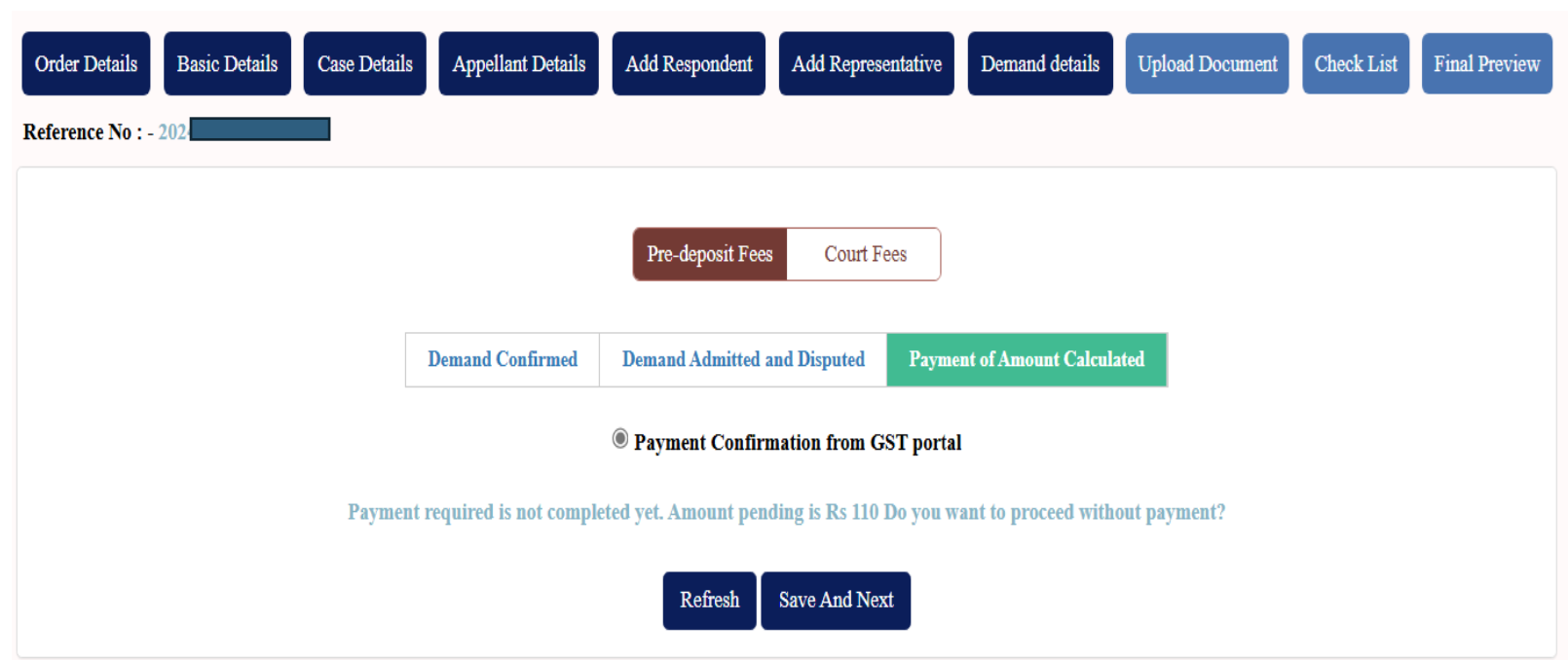
Scenario2: When user has made partial payment. Pending payment is shown to the user.
Appeal Filing: Demand Details: Offline Payment
User filling up all the required details related to Bharatkosh payment.
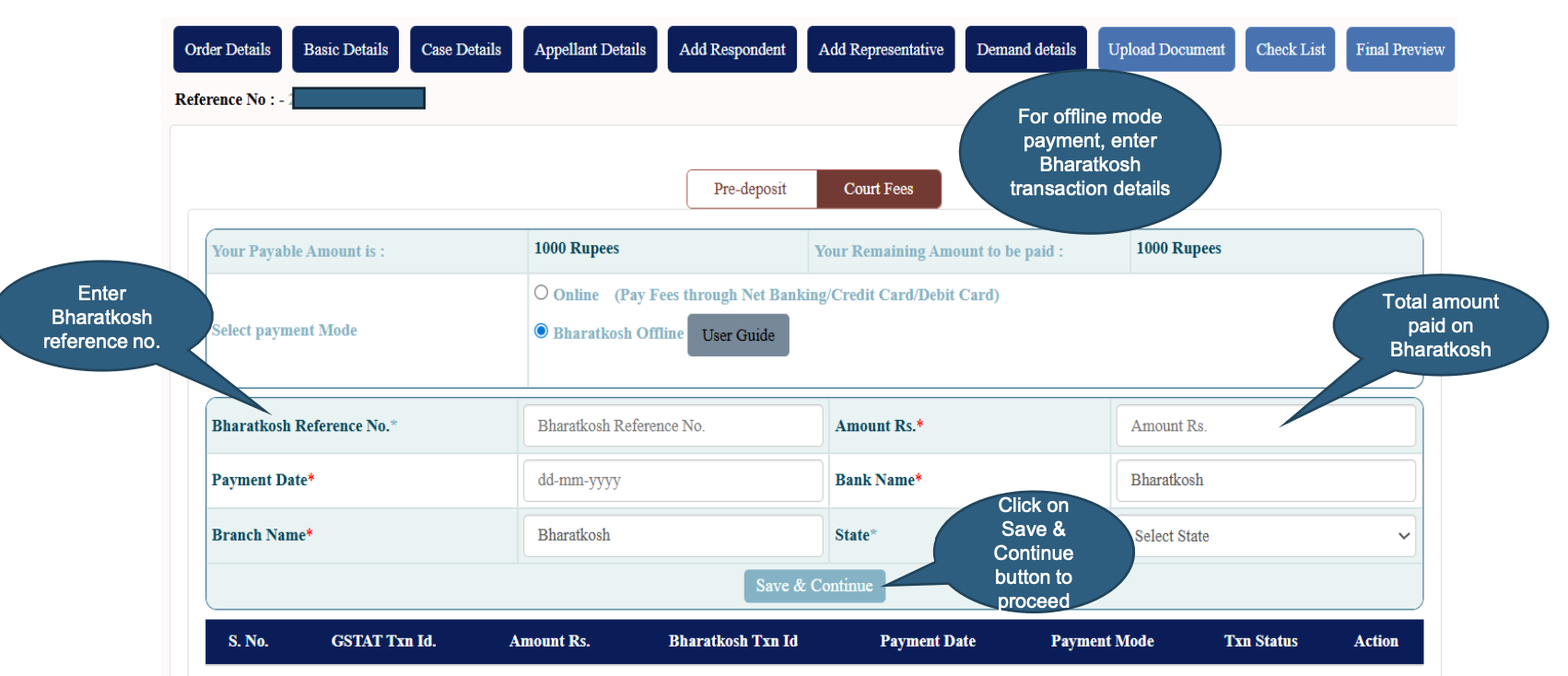
User filling up all the required details related to Bharatkosh payment.
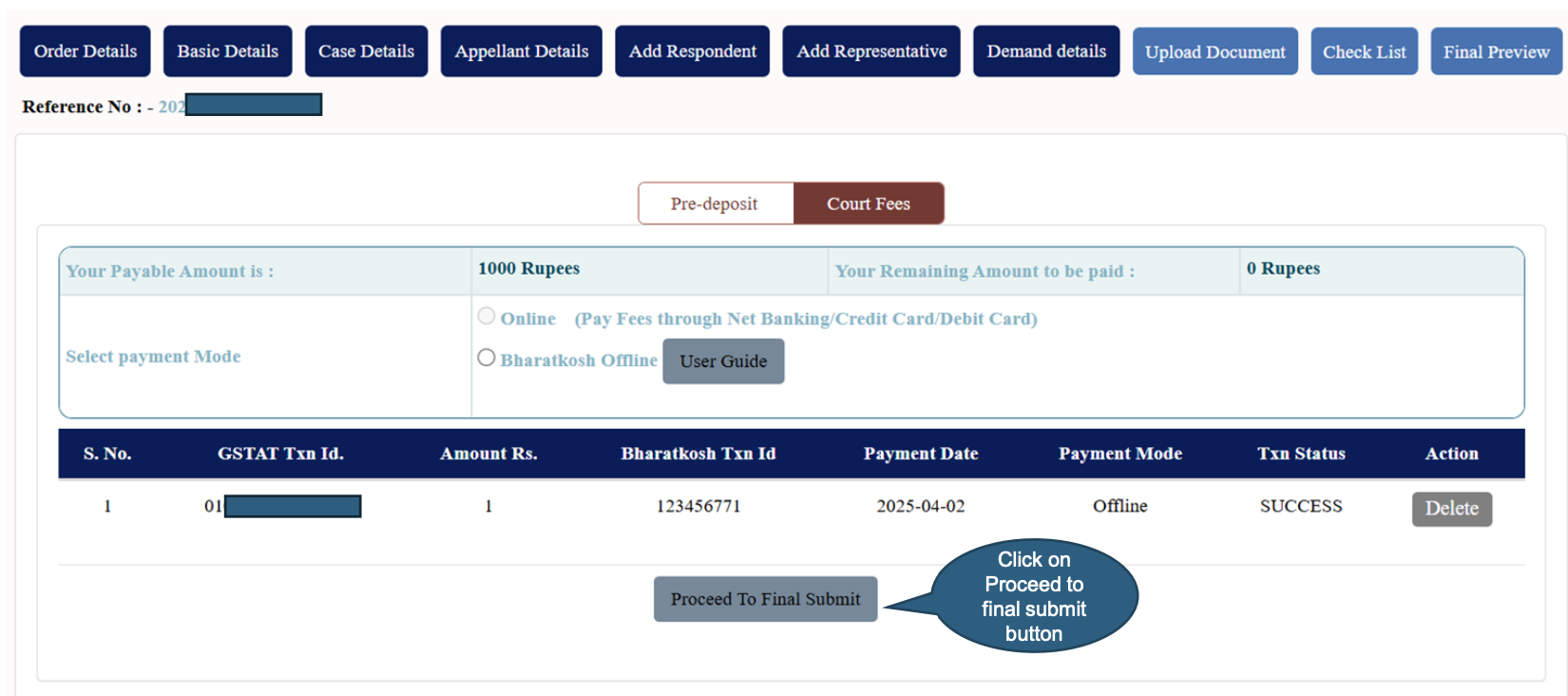
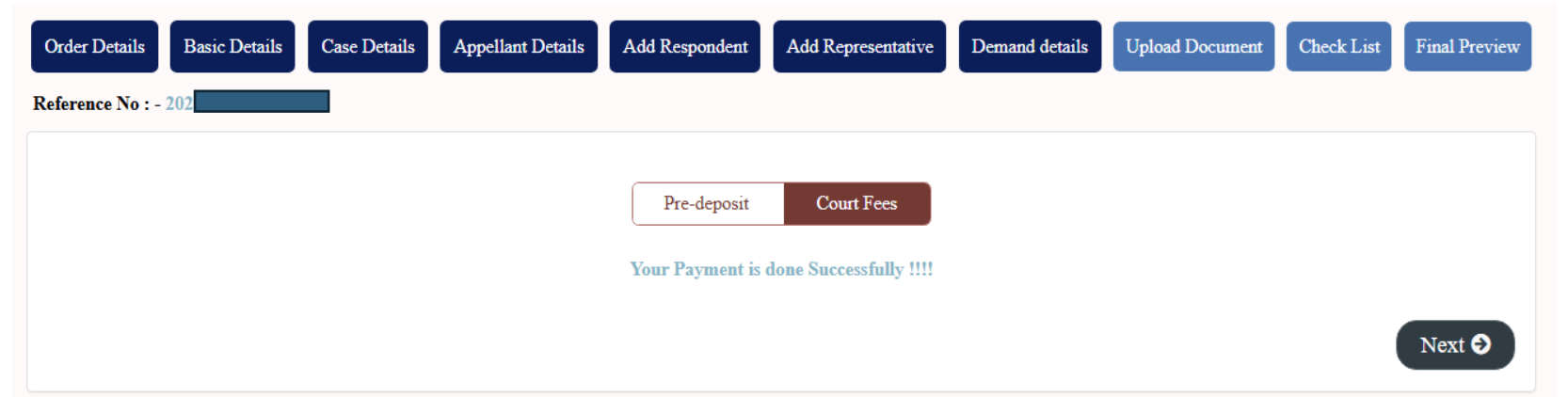
Showing successful payment confirmation message to user.
e-filing Workflow: Appeal Filing: Demand Details: Online Payment
User shall select the “Online” option and click on Continue to proceed for online payment.
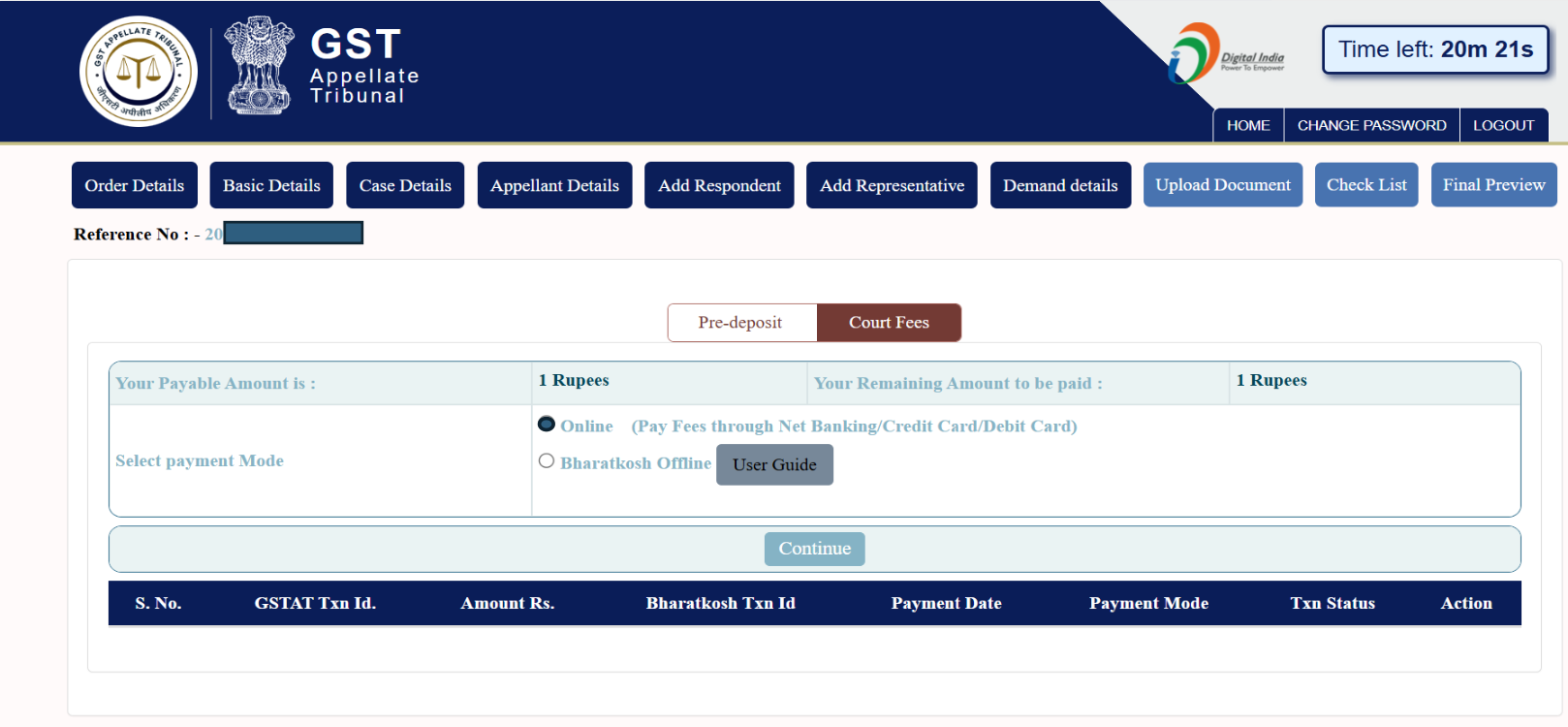
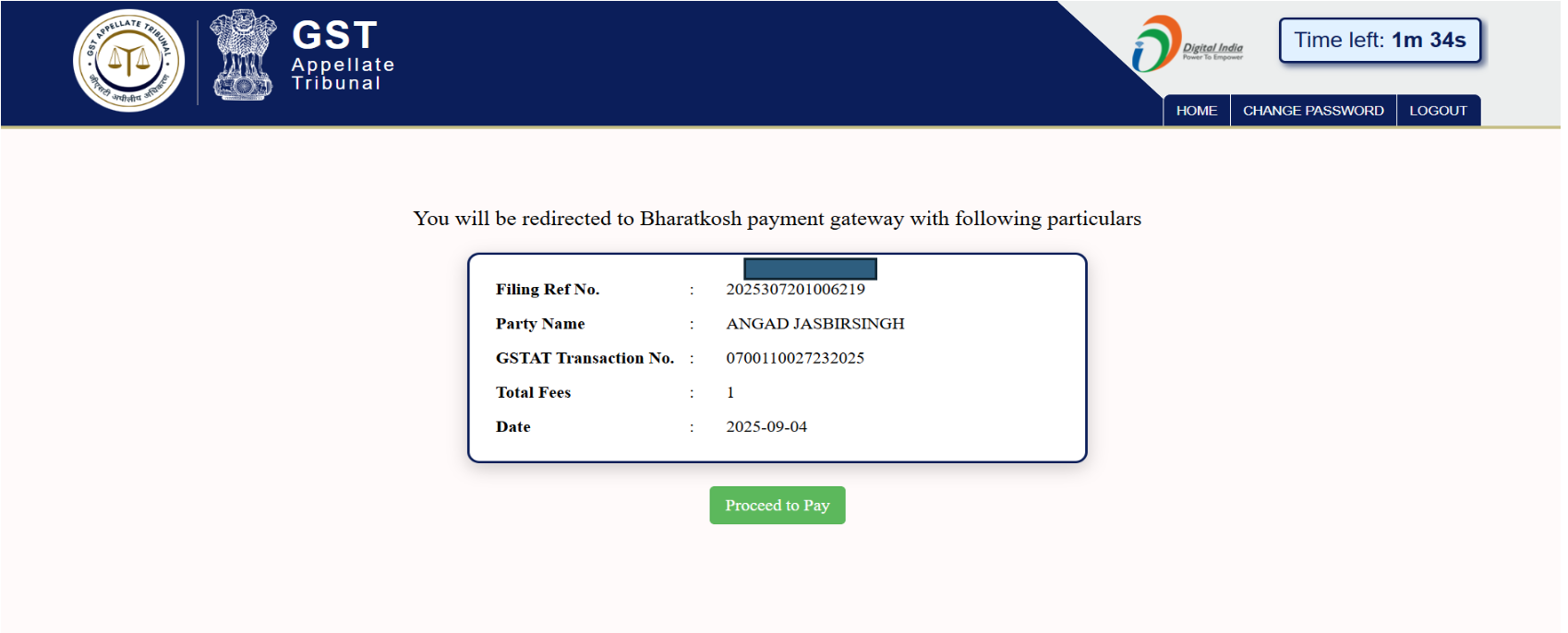
After clicking on Continue, the below window will appear with all the relevant details. The user shall click on “Proceed to Pay” to proceed further.
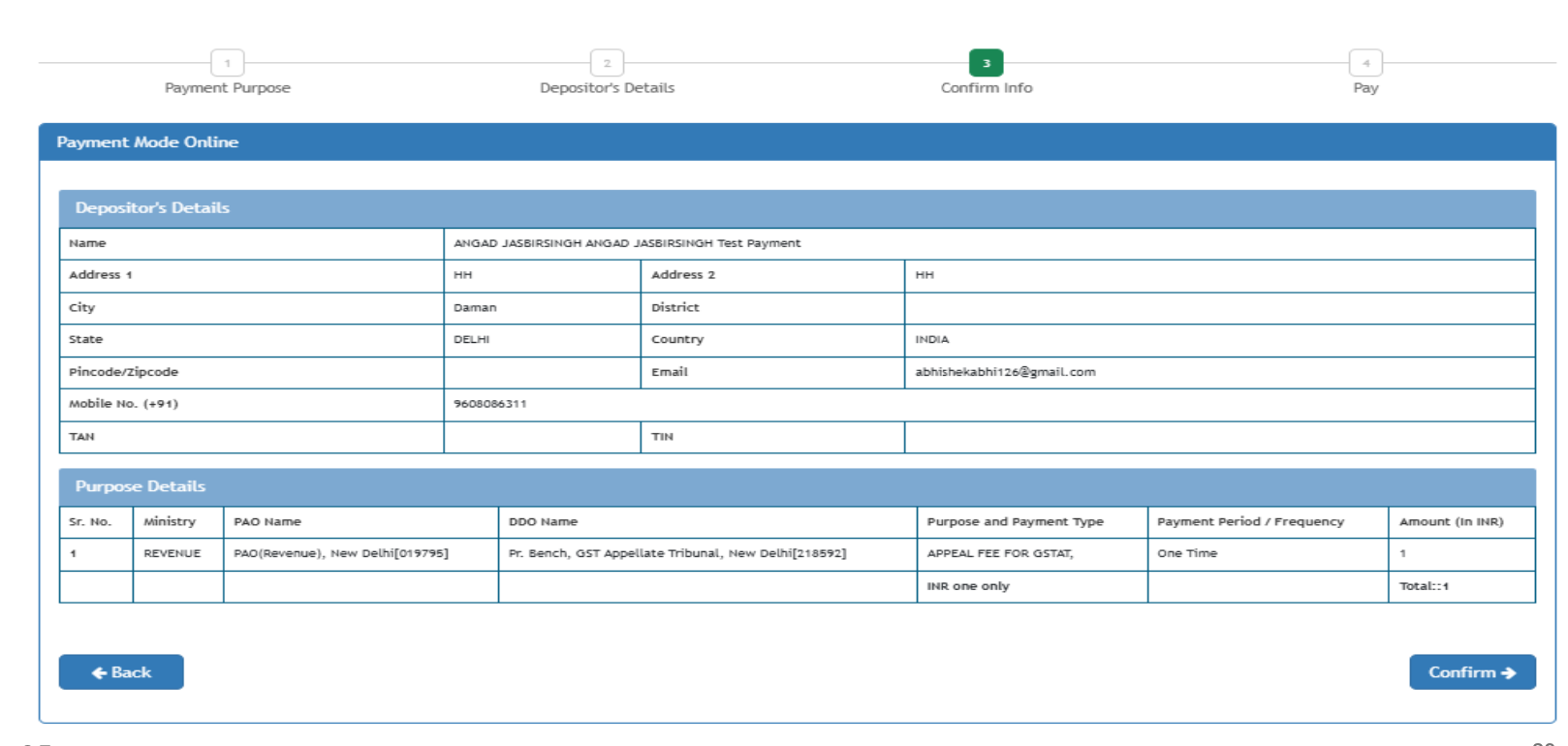
In this window, the user shall check all the details and click on “Confirm” to proceed further.
The user shall select the bank and tick the acknowledgement to make the payment.
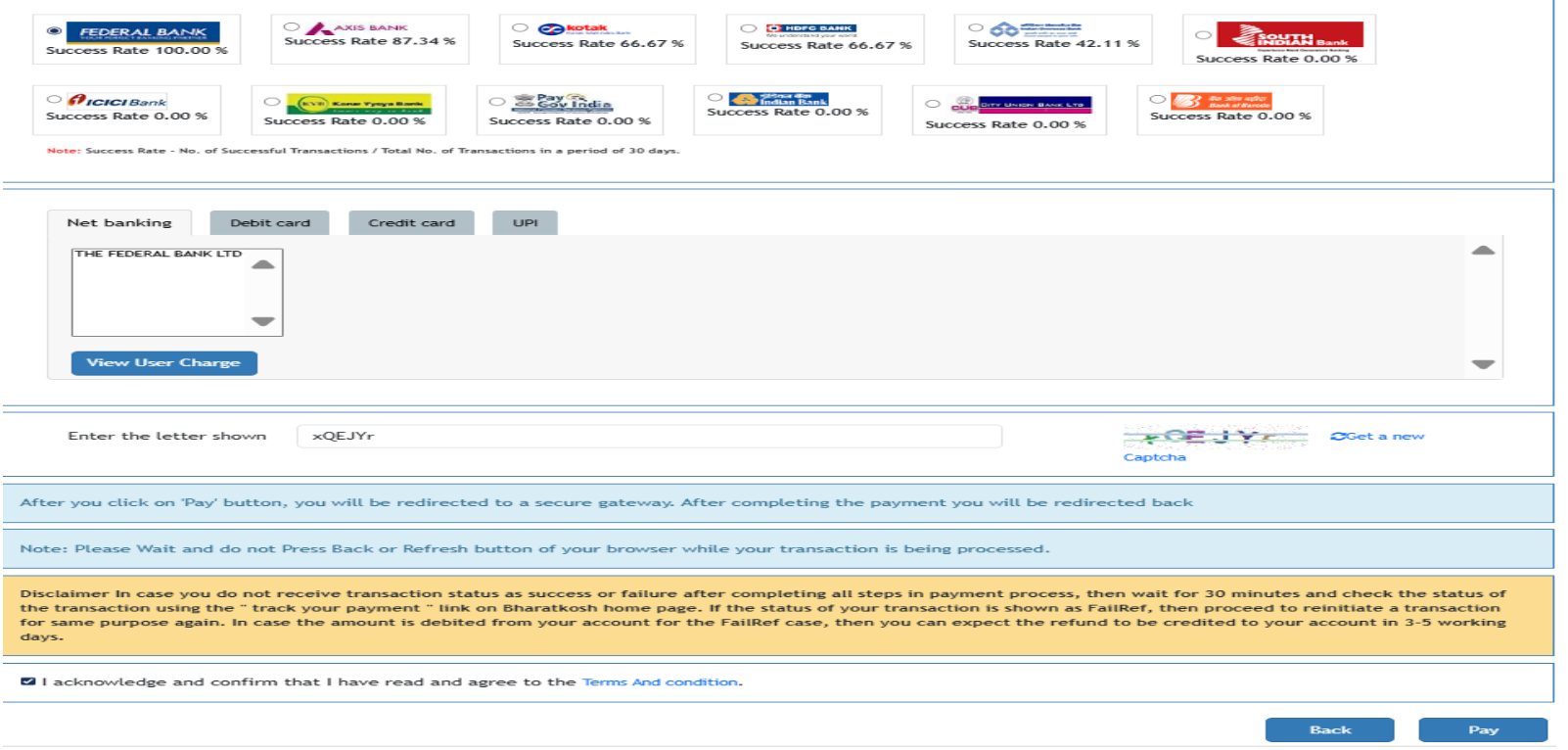
After successful payment user will be redirected back to GSTAT Portal, where a new row will be shown with payment details.
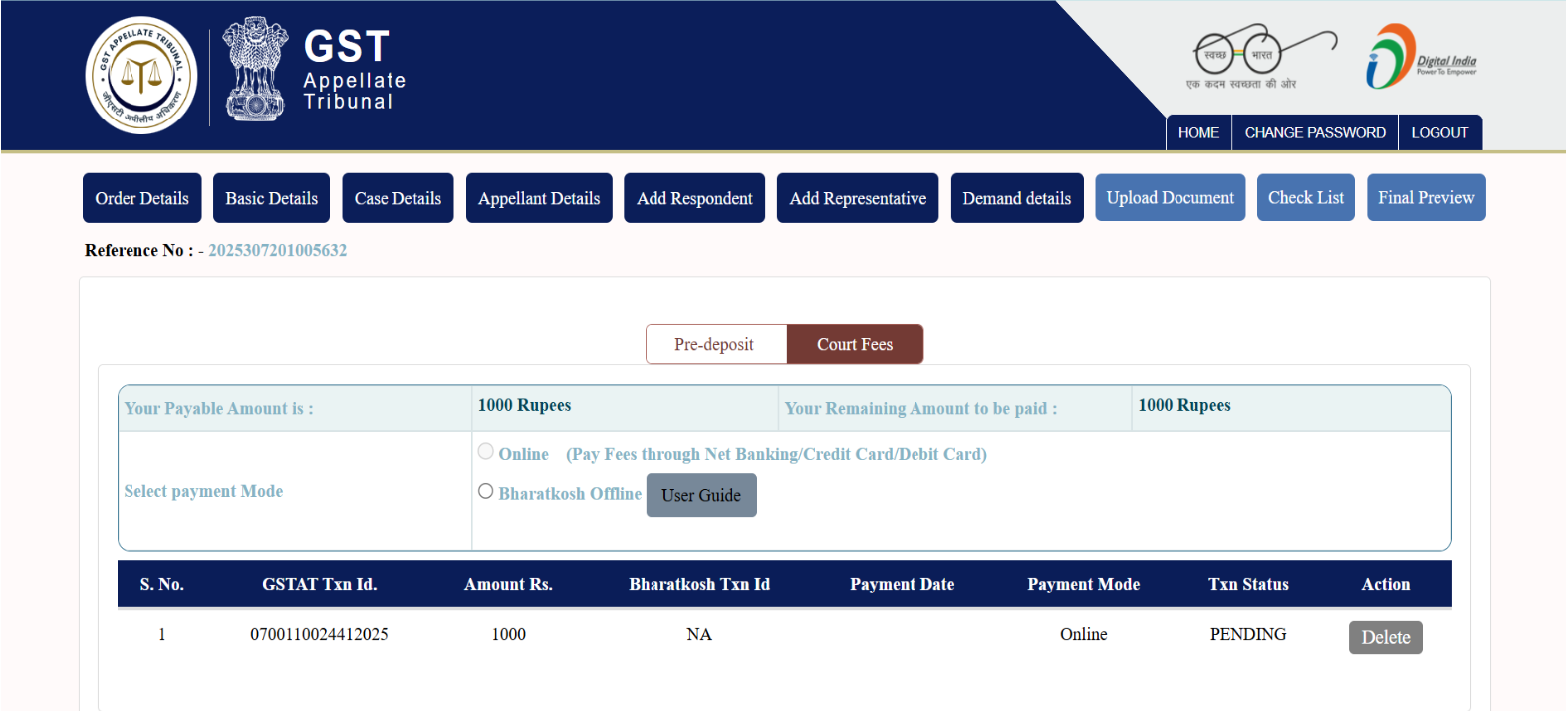
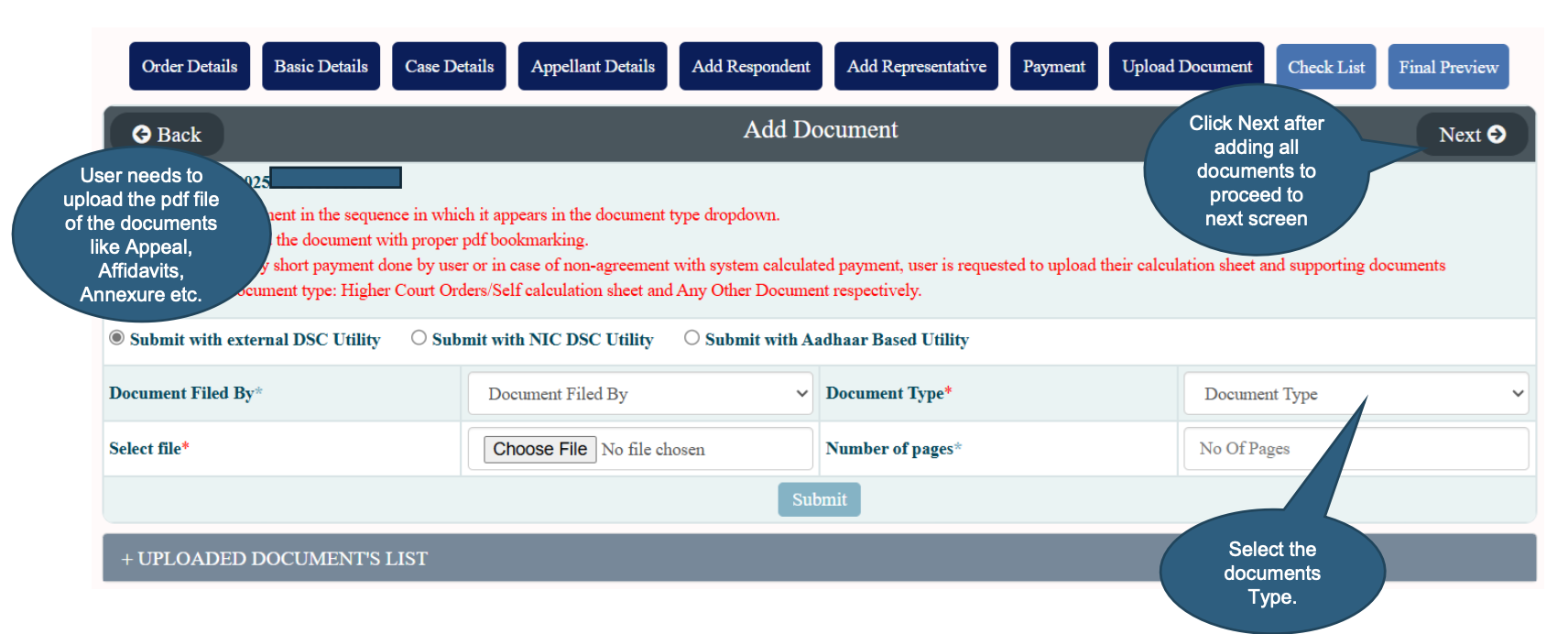
Showing various options to upload documents.
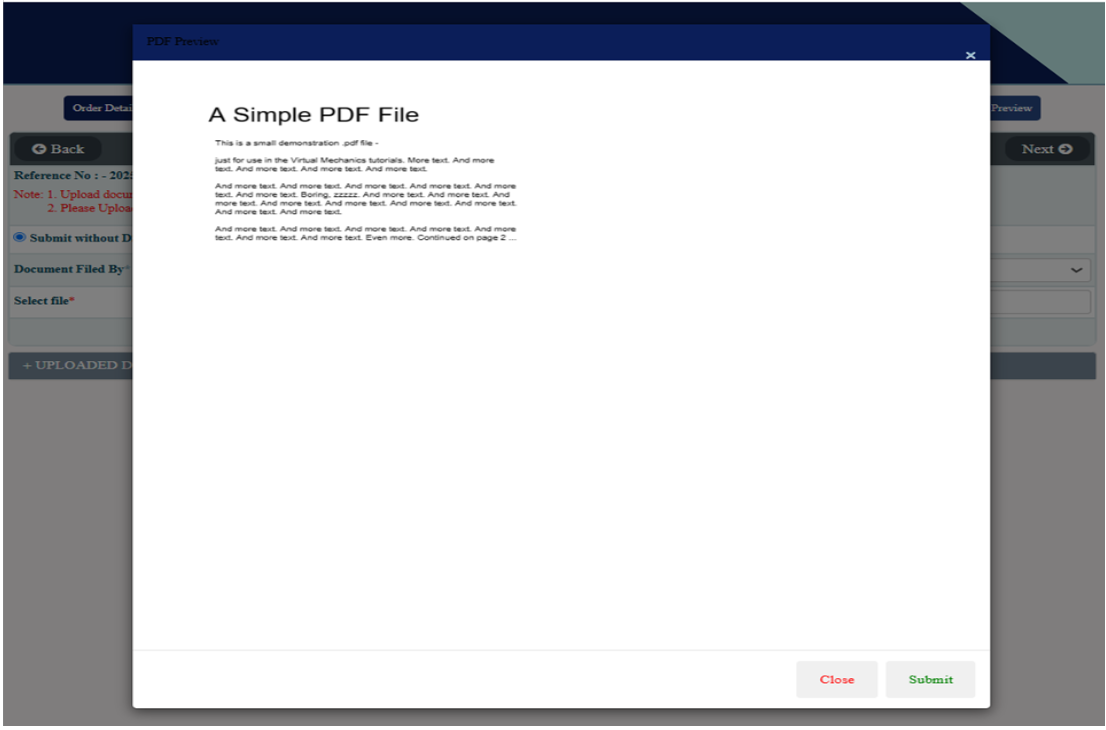
Showing pdf content to user before uploading to ensure accuracy.
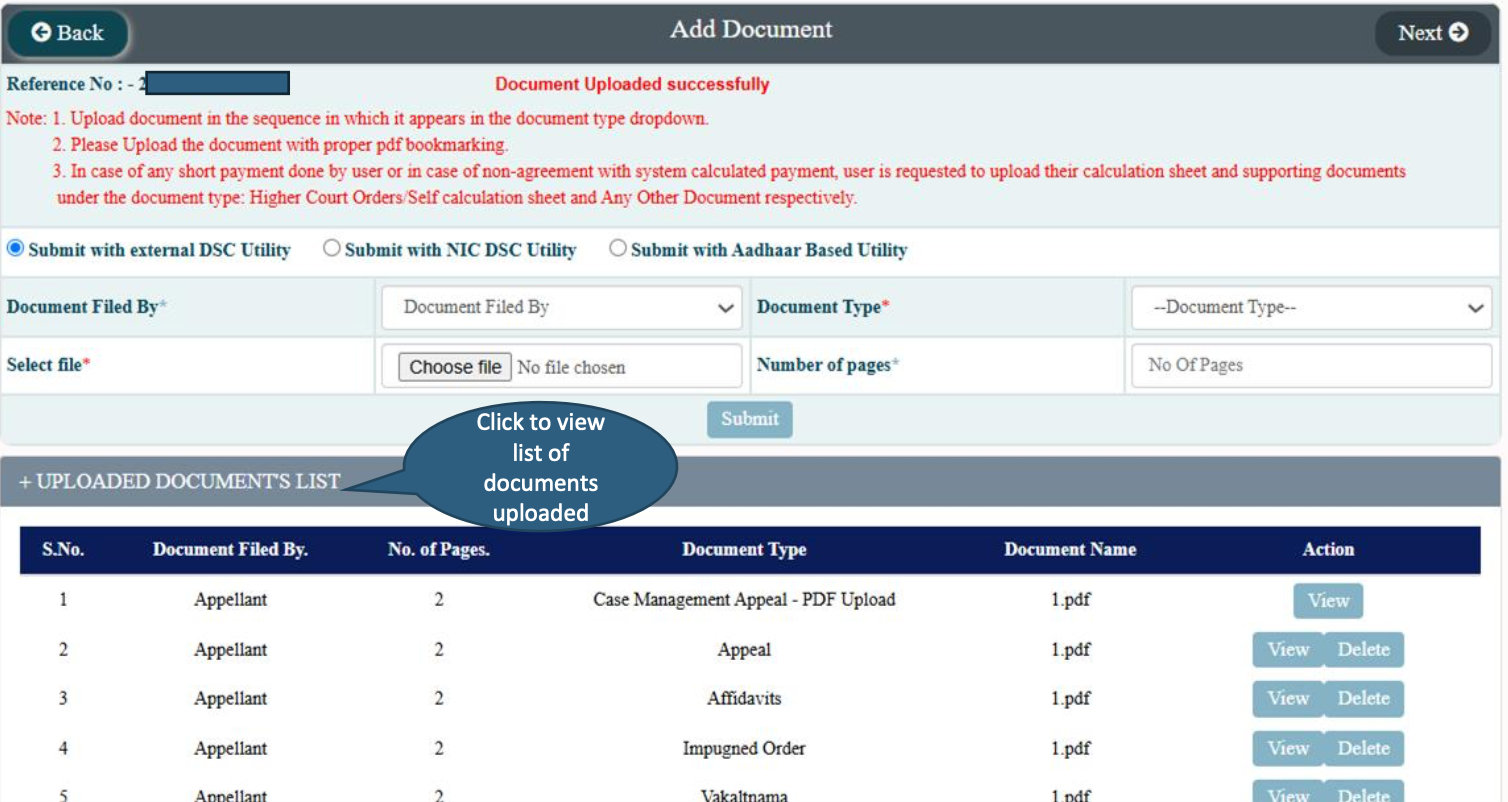
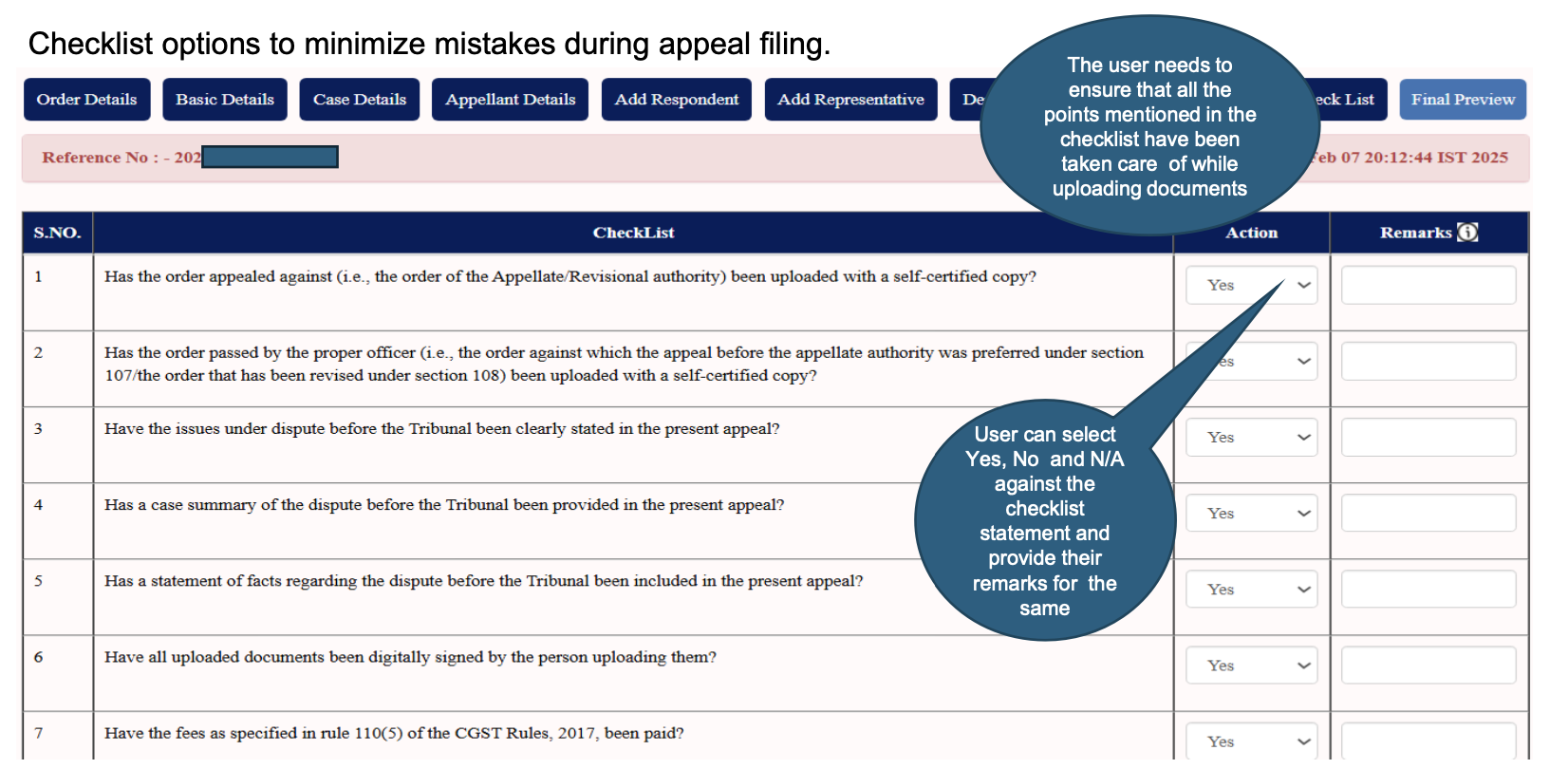
Checklist options to minimize mistakes during appeal filing.
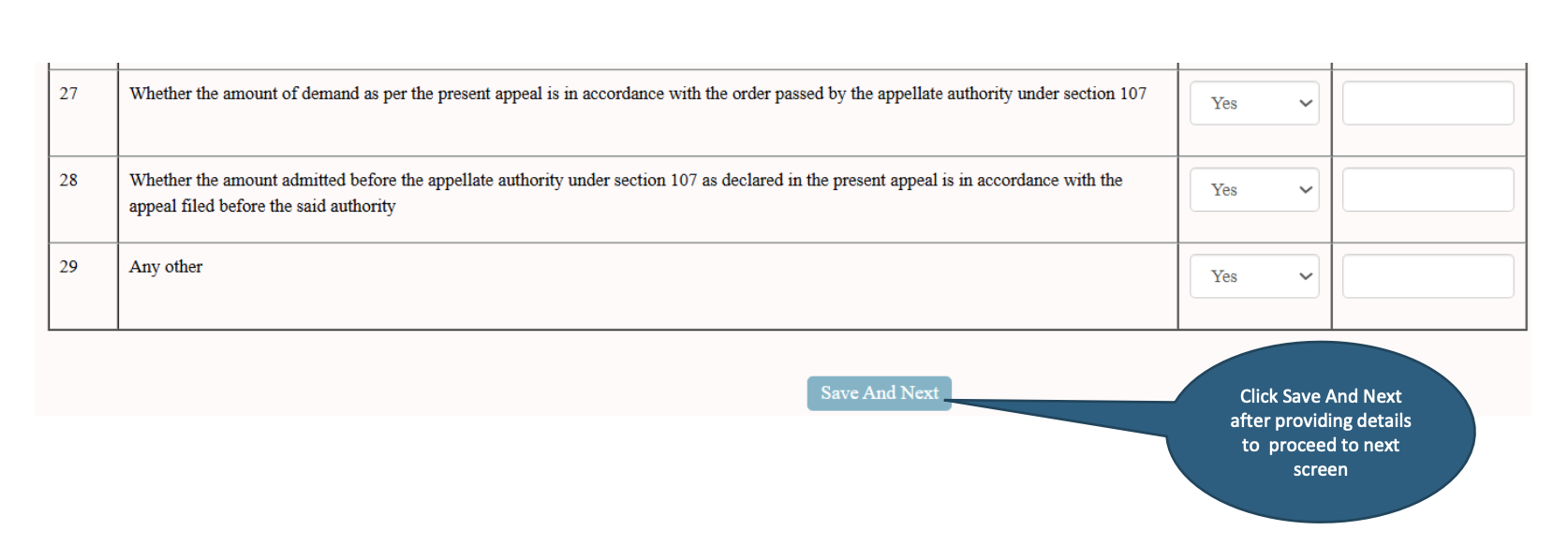
Allowing user to save all the information and move to next screen.
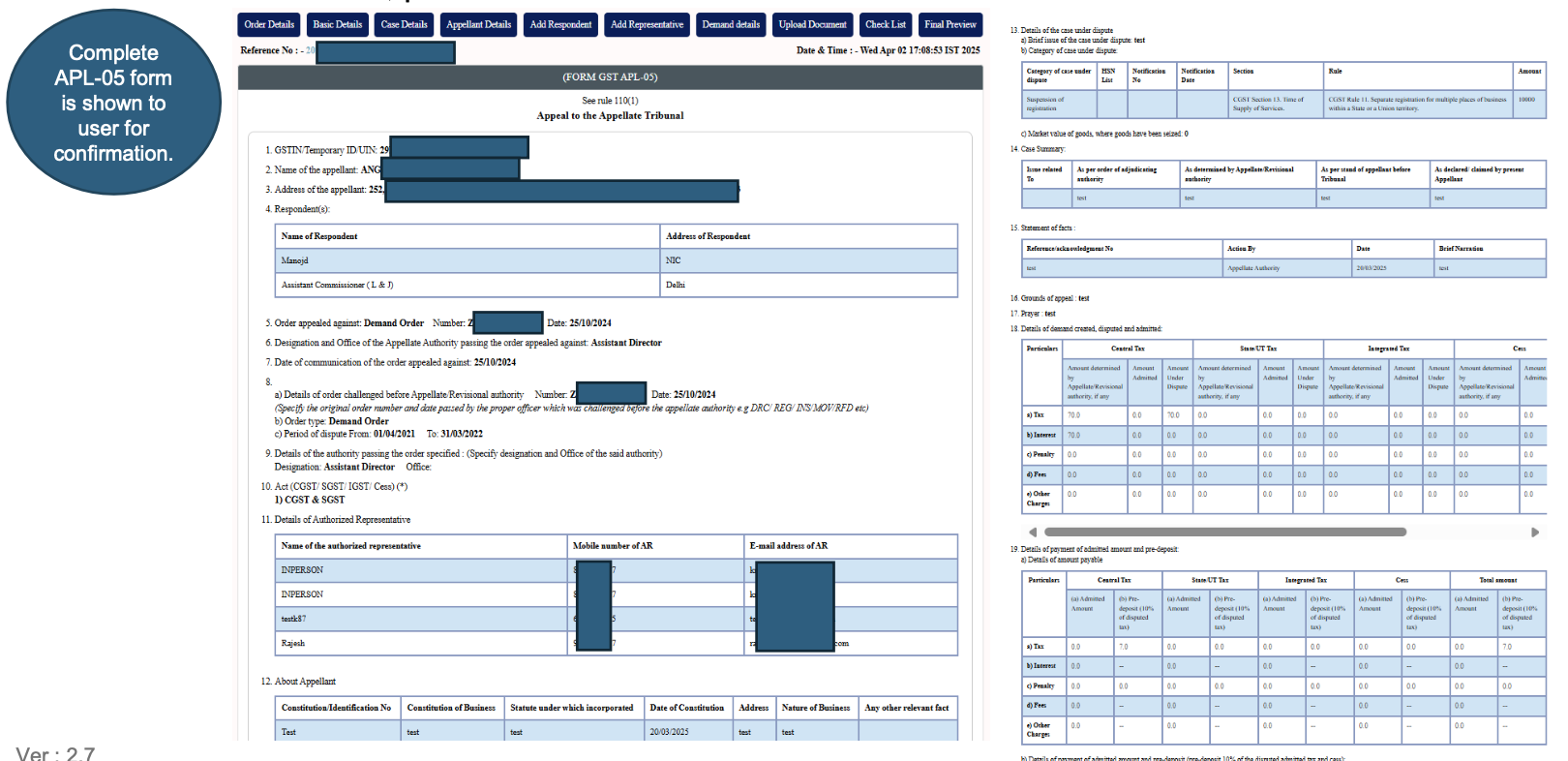
Before final submission, preview of all the entered details is shown to user for confirmation.
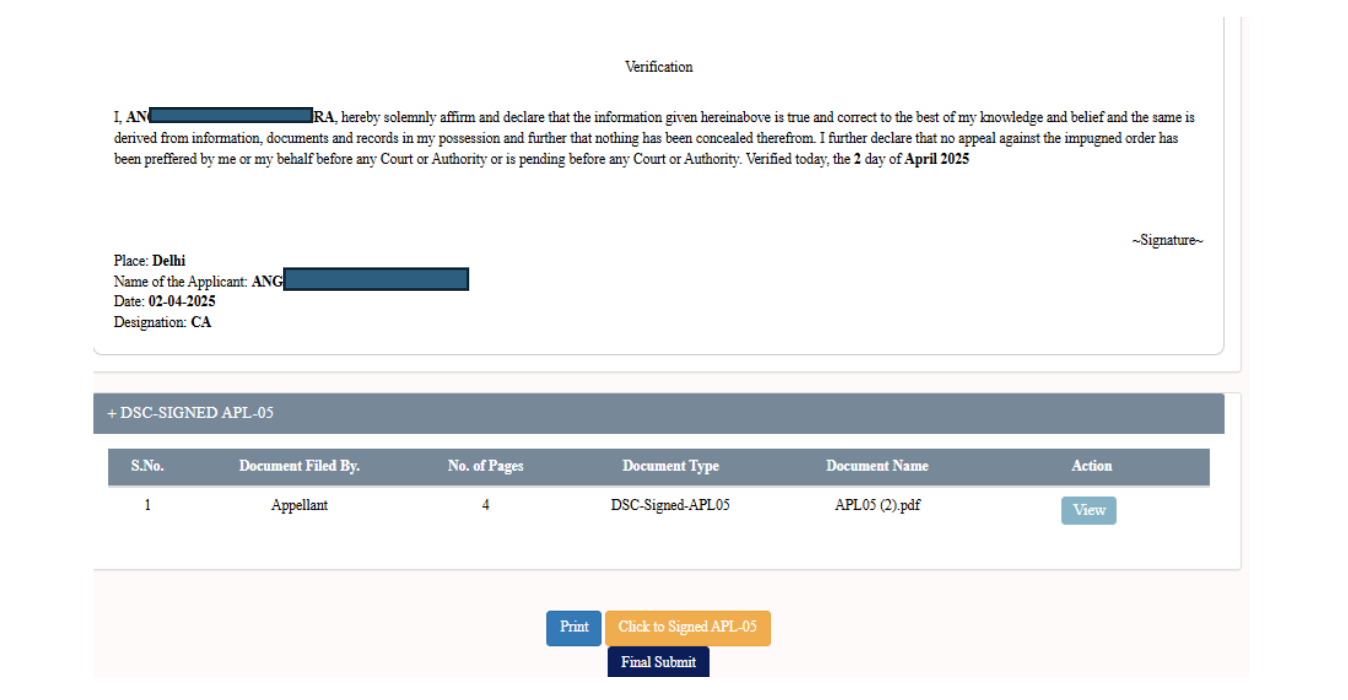
Select document and then click on final submit.
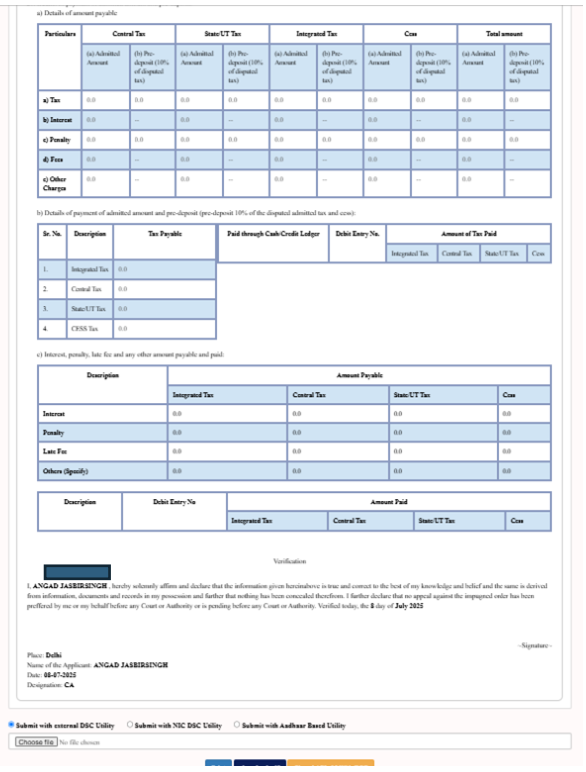
Verification Page
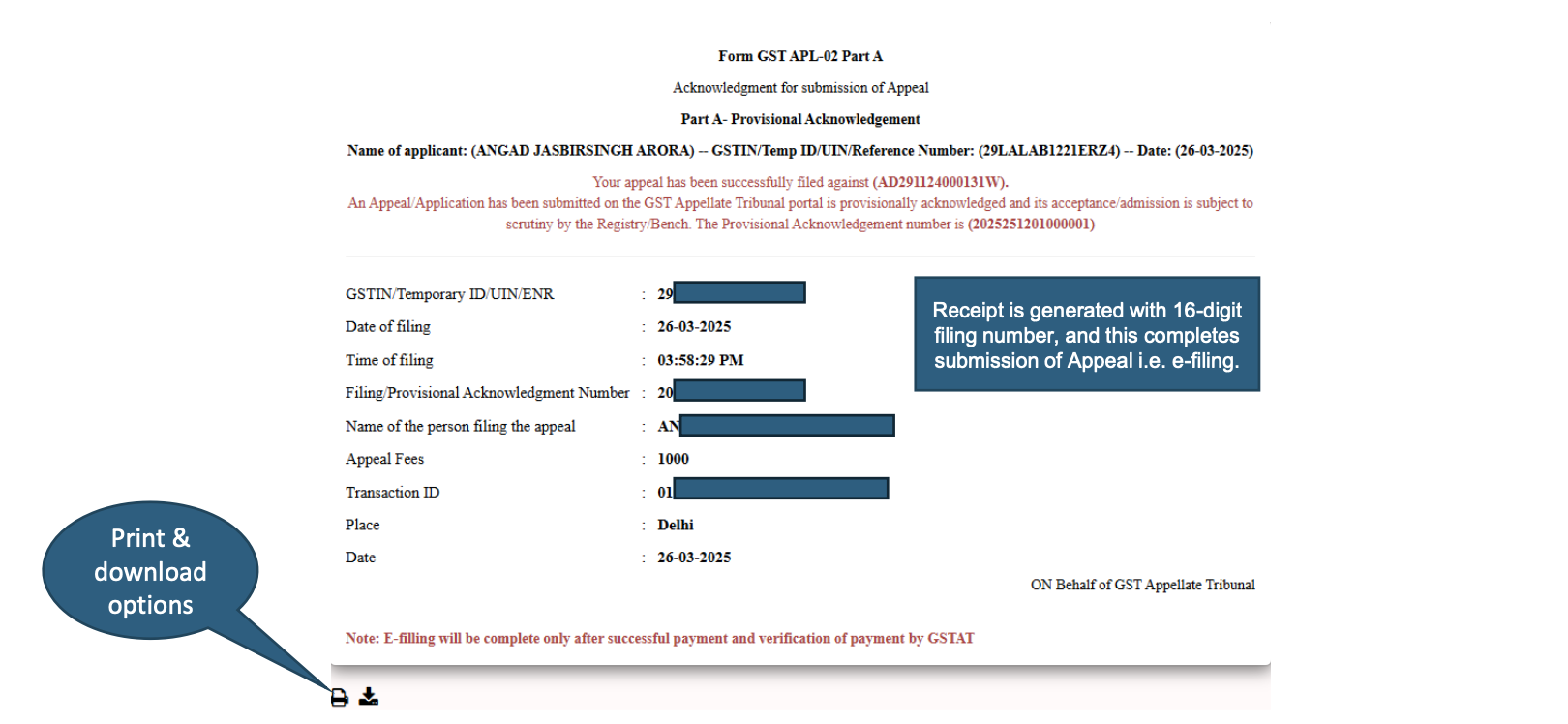
After submission, displaying Provisional Acknowledgement form with print & download options.
Read More: Export Of Non-Basmati Rice Allowed Subject To Registration Of Contracts With APEDA: DGFT

