
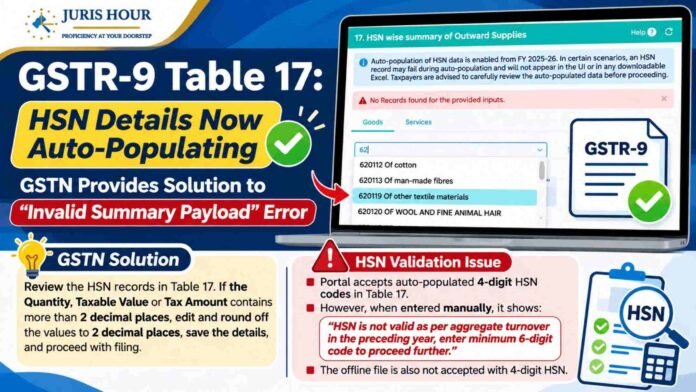
In a significant relief to taxpayers filing Annual Returns in Form GSTR-9 for FY 2025-26, HSN details are now getting auto-populated in Table 17. However, taxpayers are still facing validation issues where the portal accepts auto-populated 4-digit HSN codes but rejects the same codes when entered manually or through an offline utility.
HSN Details Auto-Populating in Table 17 of GSTR-9
Taxpayers have reported an important improvement in the GST portal, wherein HSN-wise details are now getting auto-populated in Table 17 of Form GSTR-9, relating to details of outward supplies made through e-commerce operators.
The development is expected to reduce the manual effort involved in furnishing HSN-wise details while filing the annual return.
However, despite this improvement, certain technical and validation issues continue to trouble taxpayers during the filing process.
Buy Now: 210+ GST Judgments E-Magazine – October 2026
GSTN Provides Solution to “Invalid Summary Payload” Error
One of the recurring technical errors reported by taxpayers while saving or proceeding with GSTR-9 filing is the error message “Invalid Summary Payload”.
In response to the issue, a solution has been provided through the GSTN technical support communication.
Taxpayers facing this error have been advised to review the HSN records furnished in Table 17 of GSTR-9.
If any of the following fields contain values beyond two decimal places, taxpayers should edit the relevant entries and round off the values to two decimal places:
- Quantity
- Taxable Value
- Tax Amount
After making the necessary corrections, taxpayers should save the details and proceed with filing the annual return.
This correction is expected to resolve the validation issue in cases where the error is triggered due to values containing more than two decimal places.
Contradiction in HSN Validation: Portal Accepts Auto-Populated 4-Digit HSN but Rejects Manual Entry
Despite the auto-population facility, taxpayers have highlighted another significant inconsistency in Table 17.
Where the GST portal auto-populates a 4-digit HSN code, the system appears to accept the same. However, when taxpayers attempt to enter the identical 4-digit HSN code manually, the portal displays the following error message:
“HSN is not valid as per aggregate turnover in the preceding year, enter minimum 6-digit code to proceed further.”
Consequently, taxpayers are facing difficulties in reconciling or correcting the HSN details in Table 17.
It has also been reported that the offline JSON file containing 4-digit HSN details is not being accepted by the GST portal, creating further difficulties for taxpayers attempting to file their annual returns through the offline utility.
GST Portal Requires Further Clarification
The issue raises an important technical concern regarding the validation mechanism adopted by the GST portal.
If a particular 4-digit HSN code is considered acceptable when auto-populated by the system, the portal should ideally provide clarity on why the same code is rejected when entered manually or uploaded through the offline utility.
The GSTN should examine the inconsistency between the auto-population mechanism and the HSN validation rules to ensure that taxpayers can complete their annual return filing without unnecessary technical hurdles.
Taxpayers are advised to check the decimal places in Table 17 and round off Quantity, Taxable Value and Tax Amount to two decimal places wherever required to address the “Invalid Summary Payload” error.

