
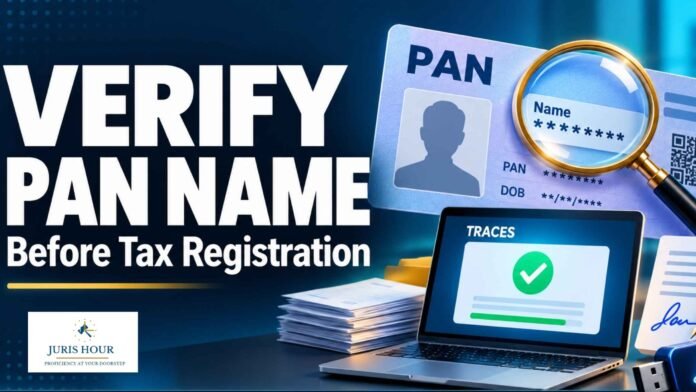
Taxpayers and businesses preparing for Income Tax portal registration, TDS-related registration, GST registration, ICEGATE onboarding or Digital Signature Certificate (DSC) mapping can benefit from checking their PAN details in advance. The TRACES PAN Verification facility provides a way for registered deductors to verify PAN validity and view the PAN holder’s name as recorded in the Income Tax Department’s database.
Comparing these details with the information proposed to be entered in a registration application can help identify discrepancies early. As a practical preparatory step, this may reduce avoidable errors and repeated attempts where an application requires particulars matching the PAN record.
Buy Now: Direct tax (Income Tax) E-Magazine September 2026
What Does TRACES PAN Verification Show?
According to the official TRACES FAQ, the facility enables a deductor to check whether a deductee’s PAN is valid in the Income Tax Department’s database. The verification result displays the PAN’s validity status and the name of its holder as available in the PAN database.
This makes the facility useful when there is uncertainty about the name associated with a PAN number. Applicants can compare the displayed name with their intended application details and supporting records before proceeding.
How Can Deductors Access the Facility?
The official FAQ describes access through a deductor login on TRACES. After logging in, the user selects “PAN Verification” under the “Statements / Payments” tab, enters the PAN, selects the form type and proceeds to view the result. Users should follow the options available in the relevant TRACES interface.
The access requirement is significant: the process described in the FAQ is a facility within a deductor account. It should therefore not be presented as an unrestricted public name-search service.
Why Checking the Name Matters
Name differences can arise from spelling errors, omitted middle names, use of initials or incorrect placement of a surname. A preliminary comparison can help applicants identify these issues before entering details in a registration form.
The TRACES taxpayer registration manual specifically instructs users to enter their name exactly as it appears on PAN and explains how to populate the first-name, middle-name and last-name fields. It also states that the last-name field is mandatory, with a single-word name to be entered in that field.
For applicants preparing for GST registration, ICEGATE onboarding or DSC mapping, checking PAN particulars can serve as a useful preliminary measure. Successful PAN verification, however, does not establish that all requirements of those separate systems have been met.
Alternative Verification Through the Income Tax Portal
Users without access to a TRACES deductor account can use the Income Tax e-filing portal’s “Verify PAN Status” service. The Income Tax Department describes this as a pre-login facility for users other than external agencies, allowing them to check PAN particulars and whether the PAN is active.
Under the published procedure, users enter their PAN, full name, date of birth and an accessible mobile number, then validate the OTP received on that number. The PAN status is displayed after successful verification. This service validates supplied details; it should not be confused with a facility for discovering an unknown PAN holder’s name.
Verification Helps Identify Errors; Correction Requires Separate Action
Where a discrepancy is detected, the applicant should first establish whether the error lies in the proposed application details or the underlying PAN record. Verification itself does not amend the PAN database or update details on another portal.
The practical value of the exercise is early detection. Checking PAN particulars before starting a registration or mapping process gives taxpayers and professionals an opportunity to resolve name inconsistencies before they become an obstacle during submission.

