
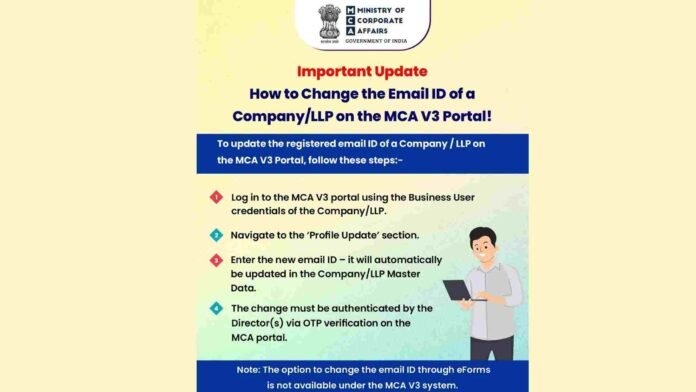
The Ministry of Corporate Affairs (MCA) has issued an important clarification regarding the procedure for changing the registered email ID of a Company or Limited Liability Partnership (LLP) on the MCA V3 Portal, streamlining compliance under the revamped digital system.
With the full transition to MCA V3, the Ministry has emphasized that registered email IDs can no longer be changed through traditional eForms, and must instead be updated directly through the portal using Business User credentials.
Step-by-Step Process to Update Email ID on MCA V3
According to the MCA advisory, companies and LLPs seeking to update their registered email address must follow the steps outlined below:
- Login using Business User Credentials
The authorized representative must log in to the MCA V3 portal using the Business User credentials of the concerned Company or LLP. - Access the ‘Profile Update’ Section
After logging in, users should navigate to the ‘Profile Update’ option available on the portal dashboard. - Enter the New Email ID
The new email address can be entered directly in the profile update section. Once submitted, the change is automatically reflected in the Company/LLP Master Data. - Director Authentication via OTP
The update must be authenticated by the Director(s) through OTP verification on the MCA portal, ensuring an additional layer of security and authorization.
eForms Route Discontinued Under MCA V3
Importantly, the MCA has clarified that the option to change the registered email ID through eForms is no longer available under the MCA V3 system. All such updates must now be completed only through the portal-based workflow.

